
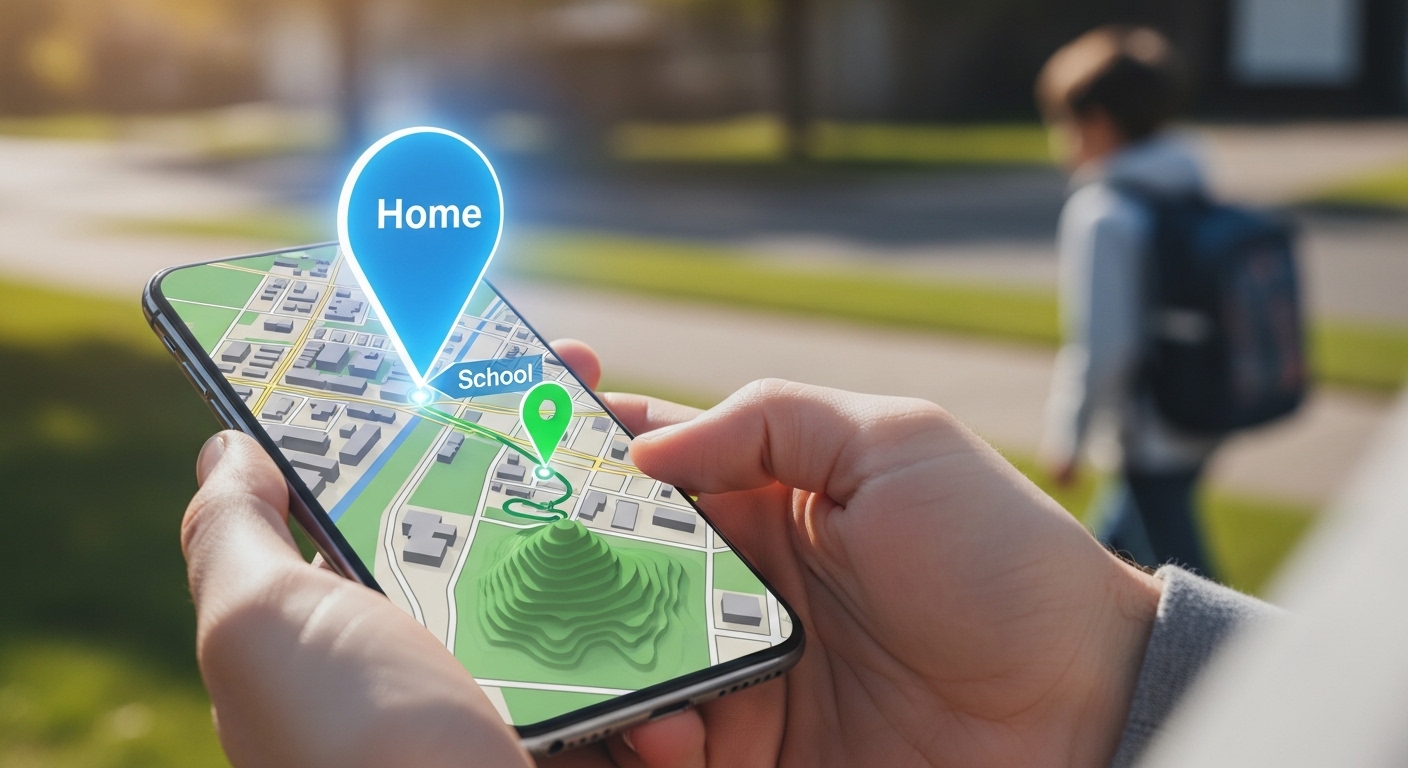
Every parent knows the feeling. It is that sudden, icy drop in your stomach when your child is five minutes late walking home from school. It is the panic that sets in when you are at a crowded amusement park, you turn around for two seconds, and your toddler is no longer standing right behind you.
In generations past, parents simply had to trust the neighborhood and wait by the landline phone. But in 2026, technology has fundamentally changed the rules of parenting. Today, almost every child over the age of ten carries a smartphone—a device equipped with military-grade GPS hardware capable of pinpointing their location anywhere on the globe to within a few feet.
The ability to open an app and instantly see a glowing dot confirming that your teenager made it safely to their friend’s house is a modern parenting superpower. It brings unparalleled peace of mind.
However, this superpower comes with immense responsibility and complex ethical dilemmas.
Tracking your child’s device location is no longer just a technical challenge; it is a psychological and legal minefield. When does “keeping them safe” cross the line into “helicopter parenting” and invasive surveillance? How do you ensure that the app you are using to track them isn’t secretly selling their location data to third-party advertisers or exposing them to hackers? And as they grow from young children into teenagers, what are their legal rights to privacy?
In this massive, 4,000-word definitive guide, we are going to explore the complete landscape of family location tracking in 2026. We will dive deep into the psychology of tracking, explain the legal boundaries, and provide you with a meticulous, step-by-step masterclass on how to set up location tracking on both Apple iOS and Google Android devices safely, securely, and transparently.
Whether you have a seven-year-old walking to the bus stop for the first time or a seventeen-year-old driving a car, this guide will equip you with everything you need to know.
Part 1: The Psychology of Tracking (Trust vs. Control)
Before we touch any software settings, we must address the elephant in the room: the psychological impact of tracking your child.
In the early days of mobile technology, many parents secretly installed tracking apps on their children’s phones. The logic was simple: “What they don’t know won’t hurt them, and it keeps them safe.” In 2026, child psychologists and cybersecurity experts universally agree that secret tracking is a catastrophic parenting mistake.
The Danger of the “Secret Spy” Approach
Children, especially teenagers, are incredibly tech-savvy. They will eventually discover the hidden app, the unusual battery drain, or the extra background process running on their phone. When they do, the foundation of trust between parent and child shatters.
If a teenager feels they are being unjustly surveilled, they will not simply accept it; they will actively work to defeat it. They will learn how to “spoof” their GPS location, leave their primary phone at a friend’s house while attending a party, or buy a cheap, secret “burner” phone. Secret tracking does not keep teenagers safe; it teaches them how to become better liars and pushes their risky behavior further underground.
The “Open Communication” Framework
The only sustainable, healthy way to track a child’s location is with total transparency.
Location tracking should be framed as a family safety tool, not a punitive surveillance system. Sit down with your child and explain exactly why the tracking is being enabled.
- For young kids: Explain it as a digital safety net. “This helps Mommy and Daddy find you if you ever get lost, just like holding hands in a crowded store.”
- For teenagers: Frame it around mutual convenience and trust. “This isn’t about checking up on you every five minutes. It is so I don’t have to text you asking ‘where are you?’ while you are driving, and so you have a quick way to signal for help if you are ever in an uncomfortable situation.”
When you establish this boundary clearly, location tracking becomes a background safety feature rather than an active source of household conflict.
Part 2: The Legal Landscape of Tracking in 2026
Can you legally track a smartphone? The short answer is yes, provided you are tracking a minor child of whom you are the legal parent or guardian, and you own the device or pay the phone bill.
However, the legal landscape surrounding digital privacy is complex and constantly evolving.
The COPPA Regulations
In the United States, the Children’s Online Privacy Protection Act (COPPA) strictly regulates how companies collect data from children under the age of 13. When you use official tools from Google or Apple to track your child, those tools comply with COPPA regulations, ensuring your child’s location data is heavily encrypted and not sold to advertising brokers.
Tracking Teenagers and Young Adults
The legal gray area begins when children reach their late teens. In many jurisdictions, once a child turns 18, they are legally considered an adult. If you continue to track an 18-year-old’s phone without their explicit, ongoing consent—even if you pay the cellular bill—you are likely violating severe electronic privacy and stalking laws.
The Dangers of Stalkerware
You must be incredibly careful about the software you use. The internet is flooded with shady “spy apps” that promise to track a phone completely invisibly. Using these apps is highly dangerous.
First, many of these third-party apps are actually fronts for identity thieves. When you grant a shady app permission to track your child’s GPS, you are handing real-time coordinates of your child directly to a cybercriminal.
Second, if you accidentally use one of these apps to track an adult (like a spouse or an employee) without their consent, you can face severe criminal charges for deploying “Stalkerware.”
(To understand how malicious apps behave and how to spot them on a device, please refer to our comprehensive guide: How to Tell if Your Phone or Laptop is Infected with Malware).
Because of these legal and security risks, we strongly recommend starting with the built-in, native tools provided by Apple and Google. They are free, highly secure, and optimized not to drain your child’s battery.
Part 3: How to Track an iPhone or iPad (The Apple Ecosystem)
If your family uses iPhones, you have access to the most secure, deeply integrated location-tracking network in the world. Apple’s tracking does not rely entirely on GPS satellites; it uses a proprietary network of over a billion active Apple devices. If your child’s phone is indoors where GPS cannot reach, it silently bounces a Bluetooth signal off a stranger’s passing iPhone to securely relay its location back to you.
Here is exactly how to set it up using Apple’s official tools.
Method 1: Apple Family Sharing (The Best Approach)
Family Sharing allows up to six family members to share Apple Music, iCloud storage, app purchases, and most importantly, their geographic locations securely.
Step 1: Set Up the Family Group
- Open the Settings app on your (the parent’s) iPhone.
- Tap your name at the very top of the screen.
- Tap Family Sharing, then tap Set Up Your Family.
- Follow the on-screen prompts to invite your child. If your child is under 13, you can create a specific “Child Account” for them right from this menu.
Step 2: Enable Location Sharing
- Still inside the Family Sharing menu, scroll down and tap Location Sharing.
- Turn on the feature that allows your location to be shared with family members.
- Now, take your child’s iPhone. Open Settings, tap their name, tap Family Sharing, and tap Location Sharing.
- Select your name from the list and tap Share My Location.
Step 3: Tracking via the “Find My” App Whenever you need to see where your child is, you do not need to bother them.
- Open the Find My app on your iPhone.
- Tap the People tab at the bottom of the screen.
- You will see a map displaying the exact real-time location of your child’s device, along with their battery percentage.
Method 2: Creating Geofence Alerts (Location Notifications)
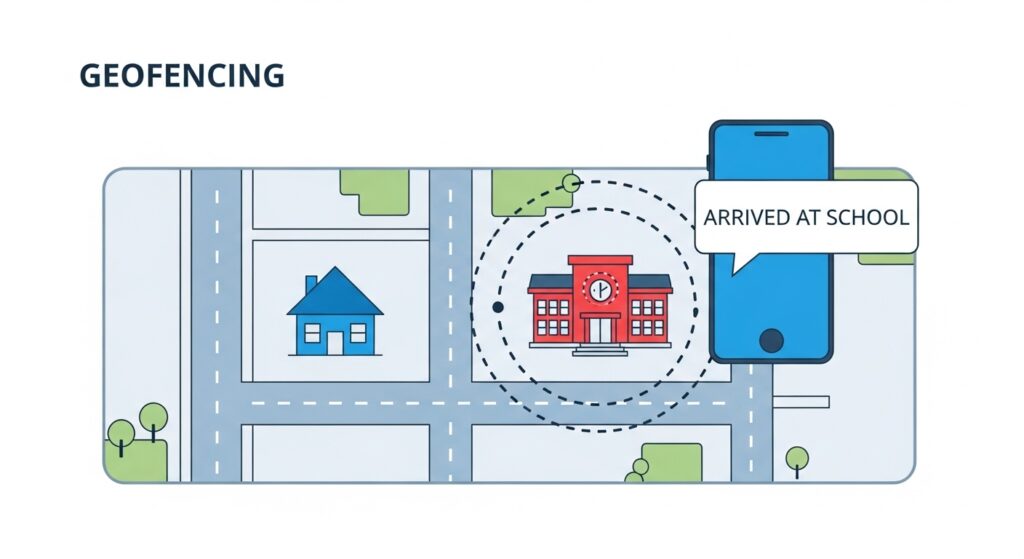
This is the most powerful feature in the Apple ecosystem. Instead of constantly checking the map, you can ask the app to send you a push notification when your child arrives at or leaves a specific place.
- Open the Find My app and tap on your child’s name in the People list.
- Scroll down to the “Notifications” section and tap Add.
- Select Notify Me.
- Choose the trigger: Arrives or Leaves.
- Choose the location. You can type in “High School” or “Home” and adjust the radius on the map.
- Tap Add. Now, your phone will automatically ping you the moment their school bus drops them off at home.
(Note: Apple notifies the person being tracked that a geofence alert has been set up. This reinforces the “open communication” policy we discussed earlier).
To learn more about setting up child profiles and managing app usage on iOS, read our guide on Setting Up Screen Time Limits on iOS and Android.
Part 4: How to Track an Android Phone (Google Ecosystem)
Google approaches location tracking with the same level of security and efficiency as Apple, utilizing Google Maps and their dedicated parental control suite.
If your child uses a Samsung, Google Pixel, or any other Android device, you have two primary methods to track them.
Method 1: Google Family Link (For Children Under 13)
Google Family Link is the ultimate dashboard for parents. Not only does it track location, but it also allows you to block mature websites and approve app downloads.
Step 1: Install and Connect
- Download the Google Family Link app on your phone (it works on both Android and iOS).
- Follow the prompts to create a child account and link your child’s Android device to your parent app.
Step 2: Enable Location Services
- Open the Family Link app on your phone and select your child.
- Scroll down to the Location card and tap Set Up.
- Ensure that location sharing is turned on. You may need to physically accept a prompt on your child’s device to grant continuous background location permissions.
Step 3: Viewing the Map and Setting Alerts Once enabled, you can open Family Link at any time to view a live Google Map of their location. Similar to Apple, Family Link recently introduced “Family Places.” You can tap the Places tab to create geofenced zones (like “Soccer Practice”) and receive alerts when your child arrives or departs.
Method 2: Google Maps Location Sharing (For Teens and Older Kids)
If your child is a teenager who has outgrown the strict app-blocking features of Family Link, you can use the built-in sharing feature inside Google Maps. This works brilliantly, even if you have an iPhone and your teen has an Android.
- Open the Google Maps app on your teen’s phone.
- Tap their profile picture in the top right corner.
- Tap Location Sharing, then tap Share Location.
- Choose the duration. You can set it for a specific time (e.g., “For 2 hours” while they are at a concert) or select “Until you turn this off” for 24/7 tracking.
- Select your contact name from the list and tap Share.
- Now, whenever you open Google Maps on your own phone, you will see their icon moving on your map in real-time.

Part 5: The Rise of Wearable Trackers (AirTags & Smartwatches)
What if your child is too young for a smartphone? Handing a seven-year-old a $1,000 iPhone just to track their walk to school is a massive financial risk.
In 2026, the market for alternative hardware tracking has exploded.
1. Smart Tags (Apple AirTags and Google Find My Device Network)
Apple AirTags and Android-compatible smart tags are small, coin-sized devices that emit a secure Bluetooth signal. You can slip an AirTag into your child’s backpack or attach it to their shoe.
- The Pros: They are incredibly cheap (around $29), the battery lasts for an entire year, and there is no monthly cellular fee.
- The Cons: They do not have built-in GPS. They only update their location when they come into close proximity with another smartphone. If your child is hiking in a remote forest with an AirTag, you will not be able to track them. They are best used for dense urban environments or school buildings.
2. GPS Smartwatches for Kids
Brands like Garmin, Gabb Wireless, and Apple (using the Apple Watch SE with Family Setup) offer smartwatches specifically designed for young children.
- The Pros: These devices strap securely to the child’s wrist, making them much harder to lose than a phone. They feature dedicated GPS chips for real-time tracking, SOS emergency buttons, and the ability to call a restricted list of pre-approved contacts (like Mom and Dad). They do not have web browsers or social media, keeping your child safe from the Top 5 Dangers of Social Media.
- The Cons: They require a monthly cellular data subscription, and the daily battery life means you have to remember to charge them every single night.
Part 6: When Native Tools Are Not Enough (Third-Party Monitoring)
As your children grow older, they spend more time away from home. Sometimes, knowing where they are is not enough to guarantee their safety.
If you suspect your child is suffering from severe cyberbullying, sneaking out late at night, or communicating with online predators, you may feel that the basic location dots on Apple Find My or Google Maps are insufficient.
In highly specific, high-risk scenarios, parents often turn to comprehensive third-party parental monitoring software. These robust platforms go far beyond basic GPS tracking. They can provide historical route mapping (showing you exactly where the phone traveled over the past 30 days), monitor the contents of direct messages across various social media platforms, and send instant alerts if specific “trigger words” (like drugs or bullying terms) are typed on the keyboard.
However, introducing this level of monitoring is a massive escalation in your digital parenting strategy.
If you choose to explore third-party monitoring solutions, you must ensure you are purchasing legitimate, highly secure software from trusted corporations, not downloading free, malware-riddled “spy tools” from dark web forums. Over the coming weeks, we will be publishing deep-dive reviews on the industry’s leading third-party monitoring platforms to help you make an informed, safe decision.
(Before installing any new software on your child’s device, ensure your own accounts are locked down tightly. Review our guide on The Best Encrypted Messaging Apps to secure your family’s private communications).
Frequently Asked Questions (FAQs) About Location Tracking
Q1: Will location tracking drain my child’s battery? If you use the built-in tools (Apple Find My or Google Family Link), the battery drain is highly optimized and barely noticeable. These apps use “geofencing” and background refreshing rather than running the GPS chip constantly. However, poorly coded third-party apps will drain a battery in a matter of hours.
Q2: Can my child fake their GPS location? Yes. On Android devices, there are “Mock Location” apps available in the Play Store that allow a user to fake their GPS coordinates. On iPhones, it is much harder but still possible using external computer software. If your child’s location dot is sitting perfectly still at the library for six hours without moving an inch, they may have spoofed their location or simply left their phone in a locker.
Q3: What should I do if the location shows my child in a dangerous area? Do not panic immediately. GPS signals can occasionally “bounce” off tall buildings, temporarily showing a location a few streets over. Call or text your child first. If you cannot reach them and their location remains in an alarming area, use the “Play Sound” feature on the tracking app. If you believe there is a genuine emergency, provide the real-time GPS coordinates directly to local law enforcement.
Conclusion: Technology is a Tool, Not a Replacement for Parenting
In 2026, the technology available to track and protect our children is nothing short of miraculous. The ability to verify your child’s safe arrival at school with a quick glance at your smartphone eliminates hours of daily parental anxiety.
However, we must never forget that these digital dots on a map are just that—dots. They tell you where your child’s physical device is located, but they do not tell you how your child is feeling, who they are interacting with, or what challenges they are facing in their daily lives.
Use Apple Find My, Google Family Link, or smartwatches as the incredible safety nets they were designed to be. Set them up properly, respect your child’s digital privacy laws, and always maintain total transparency about how the technology is being used in your household.
But remember, the most effective tracking device in the world will never replace the power of a strong, trusting relationship and an open conversation around the dinner table.

Munir is a digital security researcher and software reviewer
with over 5 years of experience testing privacy tools, parental
control applications, and cybersecurity software. He founded
Tech Monitor Pro to provide honest, hands-on reviews that help
families and professionals make smarter decisions about the
tools they use online. When he is not testing the latest VPN
or email verification platform, he writes practical guides on
digital safety and online privacy.