
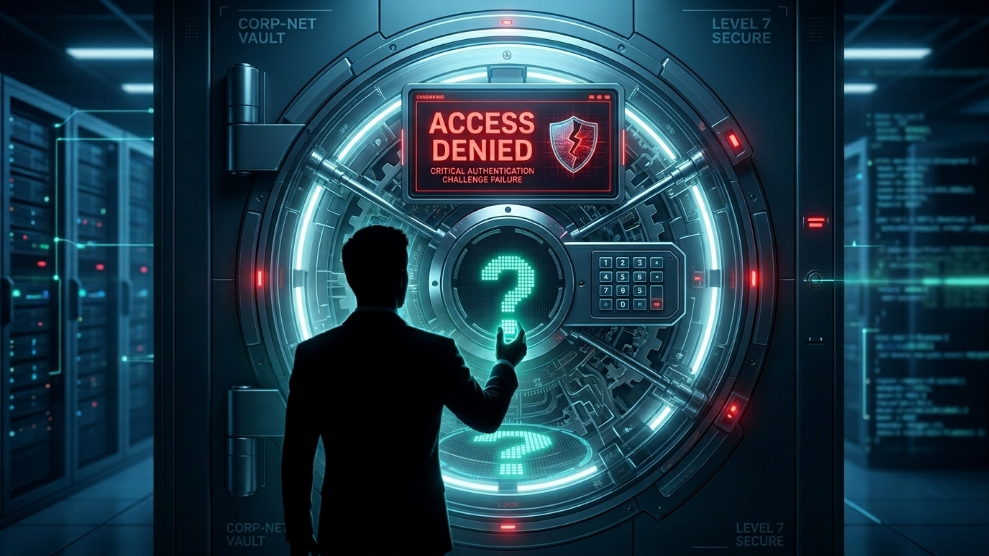
It is the ultimate digital nightmare. You have followed all the best cybersecurity advice: you stopped reusing passwords, enabled multi-factor authentication, and moved all your sensitive logins into a highly secure, encrypted digital vault.
But then, the unthinkable happens. You sit down at your computer, type in the one Master Password that protects your entire digital life, and the screen shakes red. Incorrect Password. You try again. Incorrect. Panic sets in. Unlike a standard social media account, there is usually no simple “Click here to reset your password” button that instantly emails you a new link. Because of how modern encryption works, forgetting your master password can be a catastrophic event. Here is exactly what happens behind the scenes when you lose your key, and the critical steps you must take to ensure you can always recover your data.
The Reality of “Zero-Knowledge” Architecture
To understand why password recovery is so difficult, you have to understand why your vault is secure in the first place.
Almost all premium security vaults operate on a strict “Zero-Knowledge” security model. According to cybersecurity experts, this means the company hosting your data does not know your master password, they cannot see your data, and they cannot decrypt your vault. Your password is the only mathematical key that can unlock your files, and that decryption happens locally on your device.
Because the company has zero knowledge of your password, their customer support team cannot reset it for you. If they could, it would mean they had a backdoor into your data, which would defeat the entire purpose of a secure vault. If you truly lose your password and have no backup methods enabled, your data is permanently locked forever.
4 Lifelines: How to Recover Your Access
Fortunately, modern security platforms know that human memory is flawed. If you find yourself locked out, do not panic immediately. Try these four recovery methods:
1. Check Your Mobile Device Biometrics
Even if you cannot remember your typed password on your desktop, you might still be logged into the mobile app on your smartphone via Face ID or Fingerprint scanning. If you can open the app on your phone, you can often view your saved passwords, copy them to a secure location, or navigate to the settings to trigger an account reset while you still have active access.
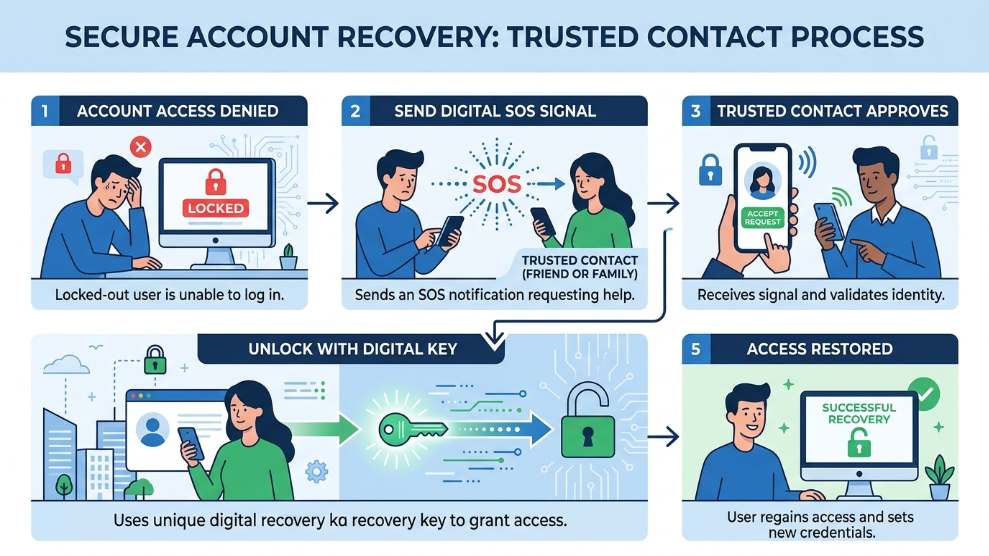
2. Utilize the “Emergency Access” Feature
The smartest thing you can do when setting up a digital vault is to designate a trusted emergency contact. For example, if you use a highly reliable tool like RoboForm for your daily form-filling and password management, you can assign your spouse or a trusted business partner as an emergency contact. If you forget your password, you can request access through them. If you do not deny the request within a set timeframe, the system grants them entry, allowing them to help you recover your digital life.
3. Family Organizer Recovery
If you manage the digital security for your entire household, relying on individual memory is risky. A fantastic safety net is to use a shared family plan on a platform like 1Password. If your child or partner forgets their master password, the designated “Family Organizer” has the administrative power to securely restore their access without ever exposing the underlying encrypted data.
4. The Recovery Kit (or Emergency Kit)
When you first created your account, most high-end vaults prompted you to download a PDF document called an “Emergency Kit” or a “Recovery Key.” This document contains a unique, mathematically generated string of characters that acts as a master override. If you printed this document and stored it in a physical safe or a bank deposit box, you can use it to bypass your forgotten password and regain entry.
How to Prevent the Panic
Relying on built-in device savers, like the highly vulnerable Apple iCloud Keychain, often ties your entire digital identity to a single 6-digit phone PIN, which is incredibly dangerous if your device is lost or stolen.
To prevent ever losing access to a dedicated, encrypted vault:
- Use a Passphrase: Instead of a complex string of random letters (like
xQ!9zP), use a memorable passphrase made of four random words (likeHorse-Battery-Purple-Staple). It is mathematically stronger and significantly easier for a human to remember. - Write It Down: It sounds counterintuitive, but writing your master password on a physical piece of paper and locking it inside a fireproof safe is one of the most secure backup methods available today. Hackers cannot attack a piece of paper over the internet.
Final Thoughts
Forgetting your master password is a terrifying experience, but it is a testament to how secure your digital vault truly is. By setting up emergency contacts, utilizing family recovery features, and keeping a physical backup of your recovery key, you can ensure that a momentary lapse in memory does not result in the permanent loss of your digital identity.

Munir is a digital security researcher and software reviewer
with over 5 years of experience testing privacy tools, parental
control applications, and cybersecurity software. He founded
Tech Monitor Pro to provide honest, hands-on reviews that help
families and professionals make smarter decisions about the
tools they use online. When he is not testing the latest VPN
or email verification platform, he writes practical guides on
digital safety and online privacy.