
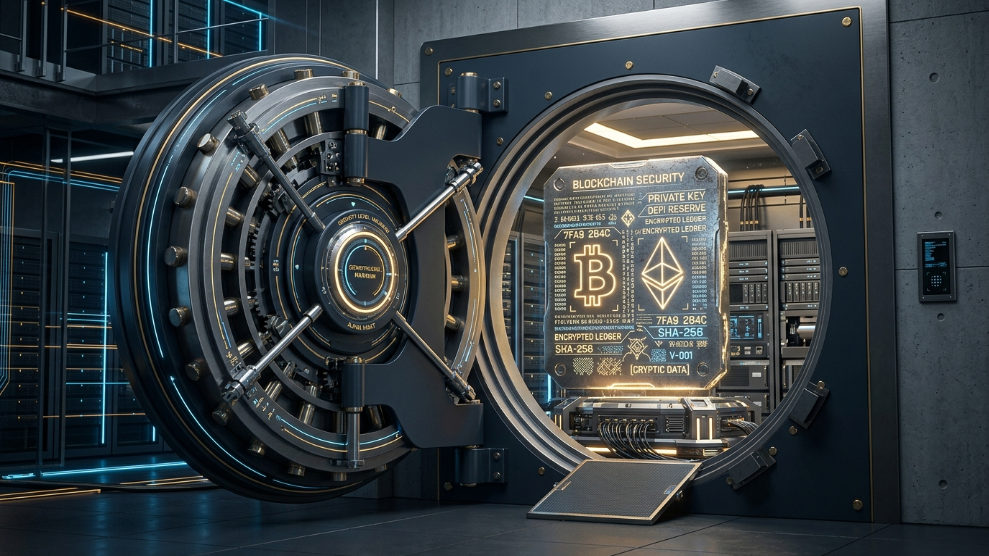
If you own cryptocurrency through a self-custody wallet (like MetaMask, Ledger, or Trust Wallet), you are entirely responsible for your own funds. Unlike a traditional bank, there is no customer service hotline to call if you get locked out.
The only thing standing between you and the permanent loss of your digital assets is a string of 12 to 24 random words known as a recovery phrase, or “seed phrase.” According to Coinbase’s official security guidelines, this phrase is the absolute master key to your crypto. Anyone who obtains these words can instantly drain your wallet from anywhere in the world.
Because this string of words is so critical, figuring out how to store it securely is the most important decision a crypto investor will make. Here is a breakdown of the most dangerous storage mistakes to avoid, and the ultimate methods to lock down your digital wealth.
The Most Dangerous Storage Mistakes
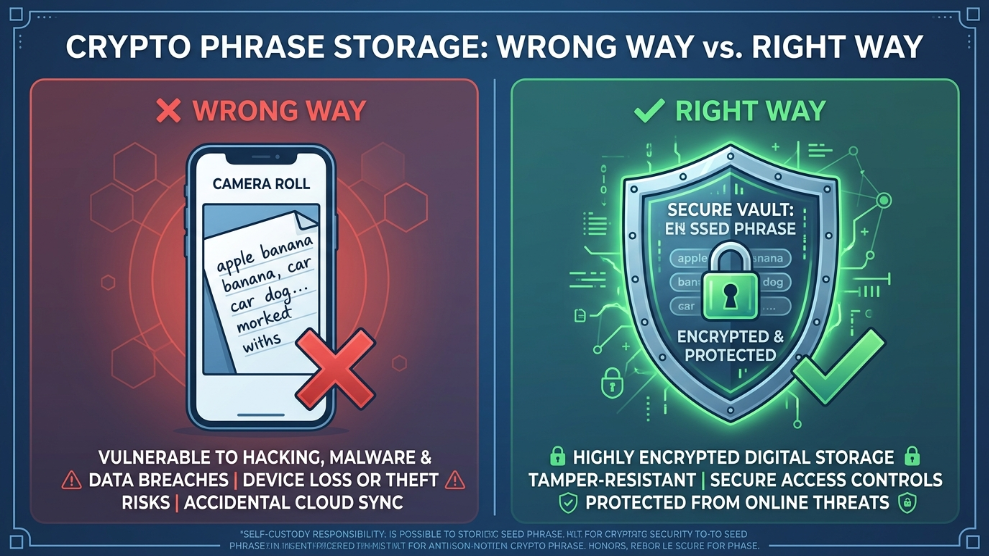
Before we look at the best practices, we must address how most people lose their crypto. If you are doing any of the following, your funds are at immediate risk:
- Taking a Screenshot: Taking a picture of your seed phrase and leaving it in your phone’s camera roll is catastrophic. If a hacker gains access to your iCloud or Google Photos account, they will use automated optical character recognition (OCR) bots to instantly scan your photos for 12-word combinations.
- Saving to a “Notes” App: Typing your phrase into Apple Notes, Google Keep, or an unencrypted Word document leaves it completely exposed to basic malware.
- Emailing it to Yourself: Email is not a secure storage vault. If your inbox is compromised, your crypto is gone.
Method 1: The “Cold” Physical Storage Approach
The most traditional way to store a seed phrase is offline, completely disconnected from the internet. Hackers cannot digitally infiltrate a piece of paper.
However, writing your phrase on a notepad and leaving it in your desk drawer exposes you to physical risks: fire, flooding, or accidental disposal. To counter this, many serious investors purchase specialized titanium or stainless steel plates. You use a stamping tool to engrave your 12 or 24 words into the metal, making it virtually indestructible. You then store this metal plate in a fireproof safe or a bank deposit box.
Method 2: The Encrypted Digital Vault
While physical metal plates are highly secure against hackers, they are not practical if you travel frequently or need to recover your wallet while away from home. Furthermore, what happens if your home safe is physically stolen?
For maximum convenience without sacrificing security, the modern approach is to utilize an elite, zero-knowledge digital vault. Instead of saving the phrase in a basic notes app, you create a “Secure Note” within a dedicated password manager.
If you want a seamless, highly collaborative environment, utilizing 1Password is a spectacular choice. Because it relies on a unique 34-character Secret Key alongside your master password, your seed phrase is protected by dual-layer encryption that cannot be breached from the cloud.
Alternatively, if you prioritize raw, next-generation cryptographic speed, storing your Secure Notes inside NordPass ensures your phrase is protected by the ultra-fast XChaCha20 encryption algorithm.
The Ultimate Strategy: The Hybrid Approach
The most bulletproof security strategy combines both methods to eliminate any single point of failure.
- Create a Physical Backup: Engrave your seed phrase on a steel plate and lock it in a secure, physical location (like a bank vault). This protects you from catastrophic digital failure.
- Create a Digital Backup: Store a copy of the phrase as an encrypted Secure Note in your digital vault. This allows you to quickly recover your wallet if your physical device breaks while you are traveling.
However, if you choose the digital vault route, you must ensure your vault itself is heavily guarded. If you forget your master password, your digital seed phrase backup will be permanently inaccessible. Always enable Multi-Factor Authentication (MFA) on your vault and designate a trusted emergency contact.
Final Thoughts
Your cryptocurrency seed phrase is the most valuable string of text you will ever own. Do not treat it like a casual website login. By avoiding unencrypted screenshots, utilizing indestructible physical backups, and leveraging zero-knowledge digital vaults, you ensure that your digital wealth remains strictly in your hands.

Munir is a digital security researcher and software reviewer
with over 5 years of experience testing privacy tools, parental
control applications, and cybersecurity software. He founded
Tech Monitor Pro to provide honest, hands-on reviews that help
families and professionals make smarter decisions about the
tools they use online. When he is not testing the latest VPN
or email verification platform, he writes practical guides on
digital safety and online privacy.