
You are sitting at your desk on a busy Tuesday afternoon. Your phone buzzes with a text message. It says: “URGENT: Suspicious activity detected on your bank account. Your card has been temporarily locked. Click here immediately to verify your identity and restore access.”
Your heart drops. Without thinking, you tap the link, enter your username, password, and social security number into what looks exactly like your bank’s official website.
In less than 30 seconds, you have just handed your entire financial life over to a cybercriminal sitting halfway across the world.
Welcome to the devastating reality of phishing scams in 2026.
In the early days of the internet, scams were easy to spot. They were poorly written emails from “foreign princes” asking for wire transfers, riddled with spelling mistakes and bizarre grammar. But today, the landscape has completely transformed. Hackers now use advanced Artificial Intelligence to draft flawless, highly personalized emails and texts that look utterly indistinguishable from legitimate corporate communications.
Cybersecurity is no longer just about installing antivirus software; it is about human psychology. Hackers do not need to break through firewalls if they can simply trick you into handing over the keys.
In this comprehensive guide, we will break down the mechanics of modern phishing scams in 2026. We will teach you how to spot the subtle red flags of fake emails, how to handle malicious text messages, and what to do if you accidentally click the wrong link.
The Evolution of the Scam: How Hackers Target You
To protect yourself, you first need to understand the different flavors of modern digital deception. The term “phishing” is a broad umbrella that covers several specific attack vectors.
1. Spear Phishing (Highly Targeted Attacks)
Standard phishing involves sending millions of generic emails hoping someone clicks. Spear phishing is the exact opposite. Cybercriminals research you specifically. They look at your LinkedIn or public social media profiles. They will send an email that references your actual boss’s name, your specific job title, or a recent conference you attended. Because the context is entirely accurate, your brain drops its defenses, making these the most dangerous attacks on the internet.
2. Smishing (SMS Phishing)
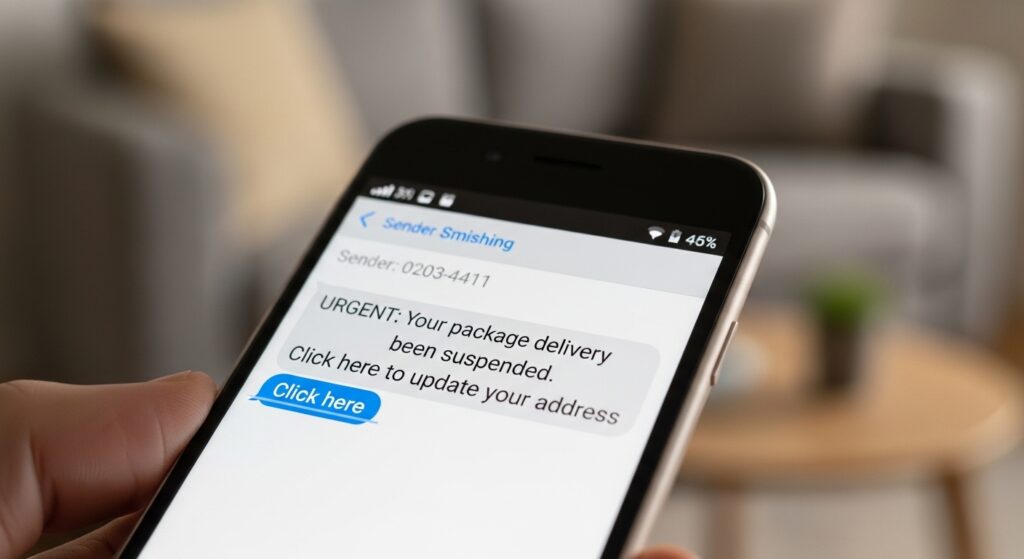
People are generally suspicious of emails, but they tend to trust text messages. Hackers exploit this through “Smishing.” You will receive a text claiming you missed a package delivery from FedEx, or that your Netflix account payment failed.
If you receive an alarming text from an unknown number demanding immediate action, do not reply and do not click the link. If you want to know who really sent the message, you can use advanced reverse phone lookup tools. Services like Scannero allow you to instantly trace unknown mobile numbers to uncover the true identity of the sender without downloading any apps.
3. Vishing (Voice Phishing)
With the rise of AI voice-cloning technology, vishing has become a massive threat. Scammers can clone the voice of a family member from a brief TikTok video, call you, and sound exactly like your child crying for help, claiming they are in an emergency and need you to wire money immediately. Always establish a “safe word” with your family for genuine emergencies.
How to Spot Fake Emails: 5 Undeniable Red Flags
While AI has made scams look incredibly professional, hackers still cannot hide the underlying technical mechanics of an email. If you know where to look, you can spot a fake every single time.
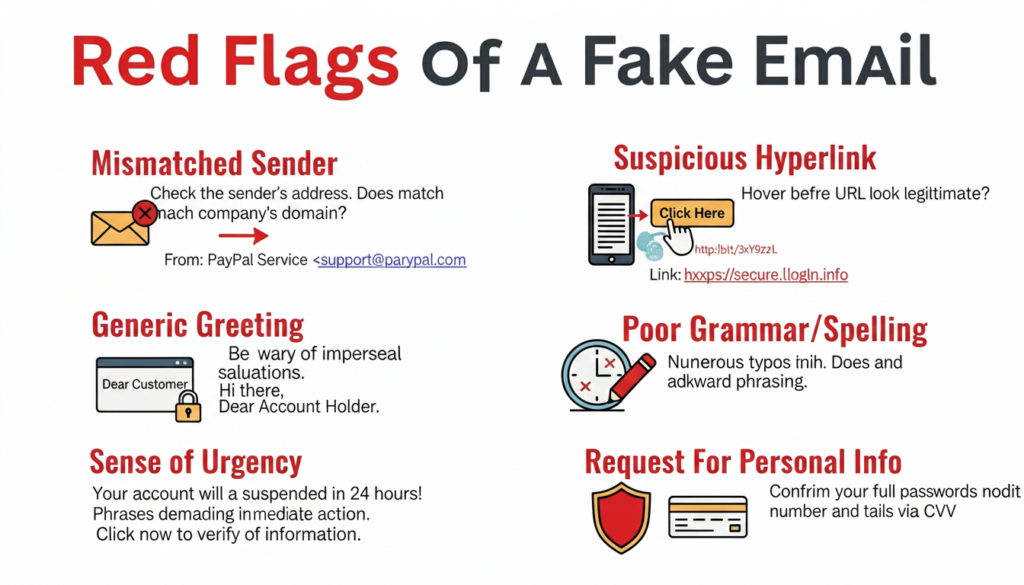
1. The “Sense of Urgency” Tactic Phishing relies on panic. If an email claims your account will be deleted in 24 hours, or a warrant will be issued for your arrest, it is almost certainly a scam. Legitimate banks and government agencies do not issue ultimate threats via email.
2. Check the Actual Sender Address This is the golden rule of spotting phishing scams in 2026. The display name might say “Apple Support,” but you must click on the name to reveal the actual email address. If the address is support@apple-security-update123.com instead of a clean @apple.com, you are dealing with a hacker.
3. Generic Greetings If you have an account with a company, they know your name. If an urgent email starts with “Dear Customer” or “Dear User,” treat it with extreme suspicion.
4. Hover Before You Click Before clicking any button (like “Verify Account”), hover your mouse cursor over it. A small box will appear in the bottom corner of your screen showing the actual destination URL. If it does not match the official company website, delete the email immediately.
5. Unexpected Attachments Never open an unexpected PDF, ZIP file, or Word document, even if it looks like an invoice. These attachments often contain hidden ransomware that can instantly encrypt your hard drive. (Read our guide on How to Backup Your Digital Life to survive ransomware attacks).
Protecting Children from Social Media Phishing
While adults are targeted with banking and shipping scams, children are heavily targeted on social media and gaming platforms like Roblox or Discord. Scammers promise kids free in-game currency or exclusive items if they click a link and log in. Once the child complies, the hacker steals their account and payment details.
As a parent, educating your child about internet safety is vital, but sometimes education is not enough. If you are concerned that your child is clicking dangerous links or chatting with scammers in direct messages, you need proactive oversight.
Smart monitoring applications like Eyezy are incredibly effective in these scenarios. Eyezy uses AI to monitor your child’s chats and searches, instantly sending you an alert if they type restricted keywords or engage with suspicious contacts. It allows you to intervene before your child unwittingly hands over sensitive family data.
Damage Control: What to Do If You Clicked the Link
We are all human. If you were distracted, panicked, and accidentally clicked a phishing link, you must act fast to minimize the damage.
- Disconnect from the Internet: Immediately turn off your Wi-Fi or unplug your ethernet cable. This severs the connection and stops malware from downloading further instructions from the hacker’s server.
- Change Your Passwords: Using a separate, clean device (like your tablet or a spouse’s phone), immediately log into the compromised account and change the password. If you reused that password elsewhere, change those too. (Using a secure vault makes this much easier. Read: Password Managers Explained).
- Contact Your Bank: If you entered financial information, call your bank’s fraud department immediately and freeze your credit cards.
- Run a Deep Malware Scan: Reconnect to the internet only long enough to run a premium antivirus scan to ensure no hidden keyloggers were installed on your hard drive.
- Report the Scam: Forward phishing emails to the Anti-Phishing Working Group at
reportphishing@apwg.org, and report SMS scams to the Federal Trade Commission (FTC) if you are in the US.
Conclusion: Trust Your Instincts
As we navigate the digital landscape, the methods used by cybercriminals will only become more sophisticated. However, their core strategy never changes: they want to bypass security software by hacking the human mind.
Surviving phishing scams in 2026 requires a healthy dose of digital skepticism. Slow down. Do not let flashing red text or urgent warnings force you into making a mistake. Verify the sender’s address, never click unsolicited links in text messages, and always navigate to a company’s official website manually if you suspect an issue with your account.
By applying these simple rules, you transform yourself from an easy target into an impenetrable digital fortress. Stay alert, stay skeptical, and keep your data safe.

Munir is a digital security researcher and software reviewer
with over 5 years of experience testing privacy tools, parental
control applications, and cybersecurity software. He founded
Tech Monitor Pro to provide honest, hands-on reviews that help
families and professionals make smarter decisions about the
tools they use online. When he is not testing the latest VPN
or email verification platform, he writes practical guides on
digital safety and online privacy.