

You have set up the perfect cold email campaign, personalized your pitches, and hit send. But instead of generating leads, your emails are vanishing into the digital abyss. If your messages are consistently bypassing the primary inbox and landing straight in the junk folder, you are likely suffering from a silent killer: a poor domain reputation.
In 2026, Internet Service Providers (ISPs) like Google, Yahoo, and Microsoft do not just look at the content of your email; they judge the behavior of the domain sending it. If you want your marketing campaigns to actually generate ROI, you must understand how this hidden scoring system works.
In this guide, we will get domain reputation explained simply, explore the hidden factors that destroy it, and show you exactly how to protect your sending infrastructure.
What is Domain Reputation?
Think of your domain reputation as your digital credit score for email marketing. Just as a bank checks your credit score before approving a loan, an ISP checks your domain reputation before deciding where to place your email.
If you have a high domain reputation, ISPs trust you. Your emails are delivered directly to the primary inbox. If you have a low domain reputation, ISPs view you as a high-risk sender or a spammer. Your emails will be heavily filtered, routed to the spam folder, or blocked entirely at the server level.
Unlike an IP reputation (which is tied to the specific server sending the email), your domain reputation follows your brand name (e.g., @yourcompany.com). Even if you switch email service providers, your domain reputation stays with you.
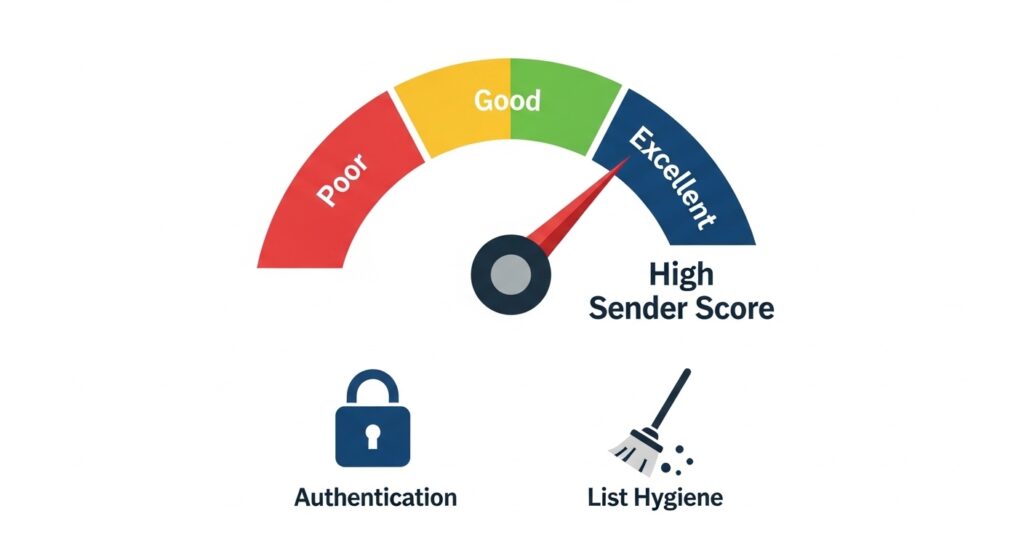
The 4 Factors That Destroy Your Sender Score
ISPs use complex, machine-learning algorithms to calculate your score. While the exact formulas are closely guarded secrets, deliverability experts agree that these four factors will ruin your domain reputation faster than anything else:
1. High Email Bounce Rates
When you send emails to invalid or non-existent addresses, they bounce back. A consistently high email bounce rate is the ultimate red flag for ISPs. It signals that you are either scraping the web for emails, buying cheap lists, or failing to maintain basic database hygiene.
2. Hitting Spam Traps
As we detailed in our guide on the dangers of spam traps, ISPs secretly circulate decoy email addresses around the internet. If you send a message to one of these pristine spam traps, the ISP immediately knows you acquired that email illegitimately, resulting in an instant, severe drop in your domain reputation.
3. High Spam Complaint Rates
If a real human recipient receives your email and clicks the “Report as Spam” button, your reputation takes a massive hit. ISPs actively track complaint rates. If your complaint rate exceeds 0.1% (just 1 out of 1,000 emails), you are in the danger zone.
4. Lack of Domain Authentication
If your domain is not properly configured with SPF, DKIM, and DMARC records, receiving servers cannot verify your identity. Unauthenticated emails are highly likely to be flagged as phishing attempts or spam.
How to Check Your Domain Reputation
You cannot fix what you cannot measure. Fortunately, major ISPs provide free tools for bulk senders to monitor their health.
The most important tool you must set up is Google Postmaster Tools. Once you verify your domain ownership, Google will provide you with a dashboard showing your domain reputation on a scale of Bad, Low, Medium, or High, specifically for emails sent to Gmail users. For a broader look at your overall internet reputation, tools like Cisco’s Talos Intelligence offer excellent insights.
How to Protect and Improve Your Reputation in 2026
If your domain reputation is currently sitting in the “Low” or “Bad” tier, you need to halt your marketing campaigns immediately and implement a strict rehabilitation protocol.
1. Scrub Your List Immediately The only way to stop bounces and avoid spam traps is to clean your database before you send another campaign. You must run your list through a highly accurate email verification tool. For the absolute best value and accuracy, we highly recommend reading our DeBounce review. It is the most cost-effective way to remove toxic emails from your list instantly.
If you are an enterprise dealing with massive B2B lists, you may need a tool that utilizes AI to predict engagement and toxicity. In that case, our ZeroBounce review breaks down how military-grade deliverability tools can safeguard your domain.
2. Remove Unengaged Subscribers Stop emailing people who haven’t opened your messages in the last six months. ISPs reward senders who have high open rates. By only emailing highly engaged users, your open rates will mathematically skyrocket, sending positive trust signals back to the ISPs.
3. Implement Double Opt-In Never allow a user onto your list without requiring them to click a confirmation link sent to their inbox. This simple step guarantees that every address on your list is real, eliminating the risk of fake emails destroying your domain reputation from the inside out.
Conclusion
Having your domain reputation explained might sound highly technical, but the solution is surprisingly simple: Stop sending bad emails to bad addresses. By prioritizing list hygiene, leveraging powerful verification software like DeBounce, and monitoring your Google Postmaster dashboard, you can build an ironclad sender score that ensures your marketing campaigns always land exactly where they belong.

Munir is a digital security researcher and software reviewer
with over 5 years of experience testing privacy tools, parental
control applications, and cybersecurity software. He founded
Tech Monitor Pro to provide honest, hands-on reviews that help
families and professionals make smarter decisions about the
tools they use online. When he is not testing the latest VPN
or email verification platform, he writes practical guides on
digital safety and online privacy.