
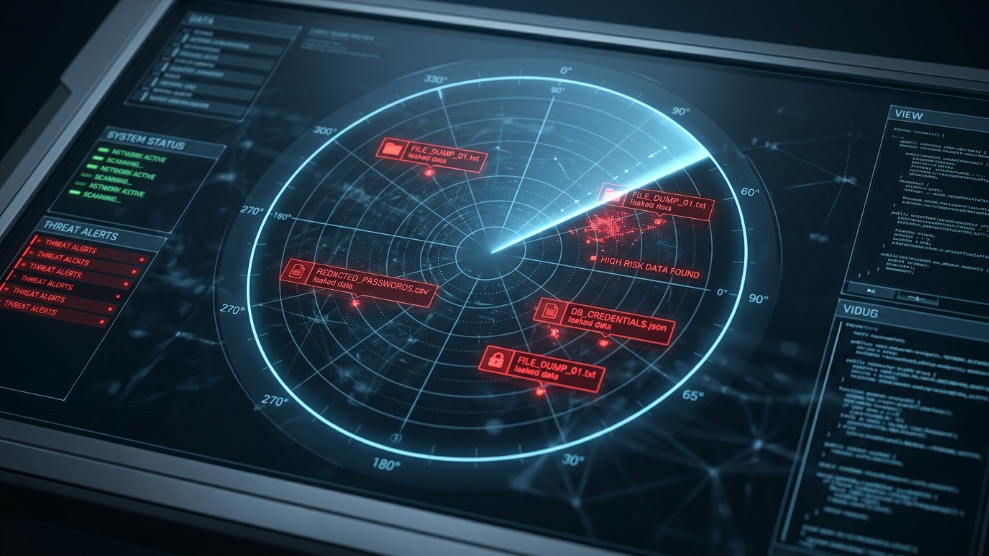
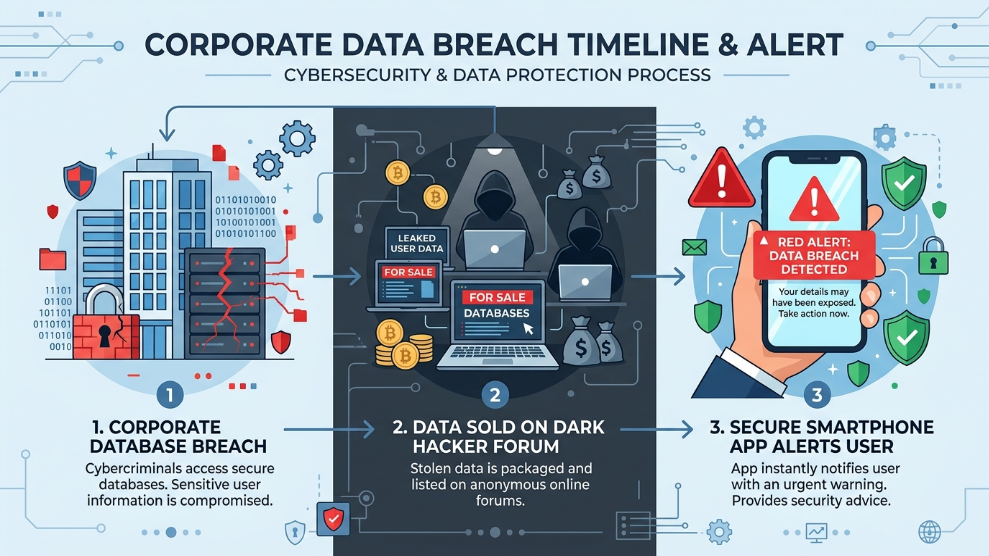
Every few months, a massive headline breaks the internet: a major corporation, a social media giant, or a healthcare provider has been hacked. Millions of user records, including emails and passwords, are stolen. But where does all that stolen data actually go?
It goes straight to the Dark Web.
In 2026, identity theft is a highly organized, multi-million dollar underground industry. Hackers bundle stolen credentials into massive databases and sell them on hidden forums to other cybercriminals. If you have been using the internet for more than a few years, there is a very high statistical probability that at least one of your passwords is currently floating around in these hidden marketplaces.
In this guide, we will explore exactly how dark web scans work, how you can check if your data is compromised, and the immediate steps you must take to secure your digital footprint.
What is the Dark Web? (A Quick Overview)
The internet is divided into three layers:
- The Surface Web: Websites you can find on Google or Bing (like Wikipedia or YouTube).
- The Deep Web: Unindexed but legitimate pages behind passwords (like your online bank account or private email inbox).
- The Dark Web: A hidden, encrypted network that requires special software (like the Tor browser) to access. It is entirely anonymous, making it the perfect breeding ground for illegal marketplaces selling stolen data, credit card numbers, and malware.
How Does a Dark Web Scan Actually Work?
A dark web scan does not “hack” into the dark web to delete your information—once your data is there, it is impossible to remove. Instead, cybersecurity companies use specialized intelligence bots that infiltrate these hidden forums and underground chat rooms.
These bots scrape the stolen databases and cross-reference the leaked information (like email addresses and passwords) against your credentials. If there is a match, the system immediately sends you an alert, giving you the critical head start needed to change your password before a hacker can use it.
Automating the Process: Why Manual Checks Aren’t Enough
You can occasionally check free public databases like Have I Been Pwned to see if your email was involved in a past breach. However, checking manually once every six months is a reactive strategy, not a proactive one. In 2026, you need real-time monitoring.
This is where upgrading your digital security stack becomes crucial. Instead of paying for a standalone scanning service, many users are now shifting to premium, all-in-one digital vaults that do the heavy lifting in the background.
For instance, if you are looking for an elegant, automated solution, Dashlane has integrated a highly accurate Dark Web Monitoring tool directly into its premium plans. It allows you to monitor up to 5 different email addresses simultaneously. If Dashlane’s bots detect your credentials in a new breach, you get an instant push notification on your phone. Plus, it even includes a built-in VPN for secure browsing.
3 Immediate Steps to Take if Your Data is Leaked
If a dark web scan reveals that your credentials are out in the open, do not panic. Follow this emergency checklist immediately:
- Change the Password Everywhere: If your compromised password was
Summer2026!on Facebook, and you also use that same password for your banking app, change both immediately. Hackers will test stolen passwords across multiple platforms. - Enable Two-Factor Authentication (2FA): Immediately turn on 2FA for the compromised account. Even if the hacker has your password, they cannot bypass a biometric scan or a code sent to your phone.
- Audit Your Financial Accounts: Keep a close eye on your credit card statements and bank accounts for the next 30 days for any micro-transactions or suspicious activity.
Hardening Your Defenses Against Future Breaches
Ultimately, the best defense against dark web leaks is to ensure that even if a company gets breached, the stolen password is useless anywhere else. This means using complex, mathematically generated, unique passwords for every single login.
If you are serious about locking down your digital life and want military-grade protection, we highly recommend looking into Keeper Security. While Dashlane is great for an all-in-one experience, Keeper focuses purely on hardcore defense. Their proprietary BreachWatch add-on is considered one of the most rigorous dark web monitoring tools in the industry, seamlessly integrating with their zero-knowledge vault architecture.
👉 Discover why experts trust this vault in our comprehensive Keeper Security Review.
Final Thoughts
Data breaches are an inevitable reality of the modern internet. You cannot control whether a major corporation gets hacked, but you have complete control over how you respond. By utilizing automated dark web scans and employing a proactive digital vault, you can stay one step ahead of cybercriminals and ensure your private data remains yours.

Munir is a digital security researcher and software reviewer
with over 5 years of experience testing privacy tools, parental
control applications, and cybersecurity software. He founded
Tech Monitor Pro to provide honest, hands-on reviews that help
families and professionals make smarter decisions about the
tools they use online. When he is not testing the latest VPN
or email verification platform, he writes practical guides on
digital safety and online privacy.