

In almost every household, digital lives overlap. You likely share a Netflix login with your spouse, the Wi-Fi password with your children, and a joint bank account portal with your partner. Sharing access is a fundamental part of modern family life.
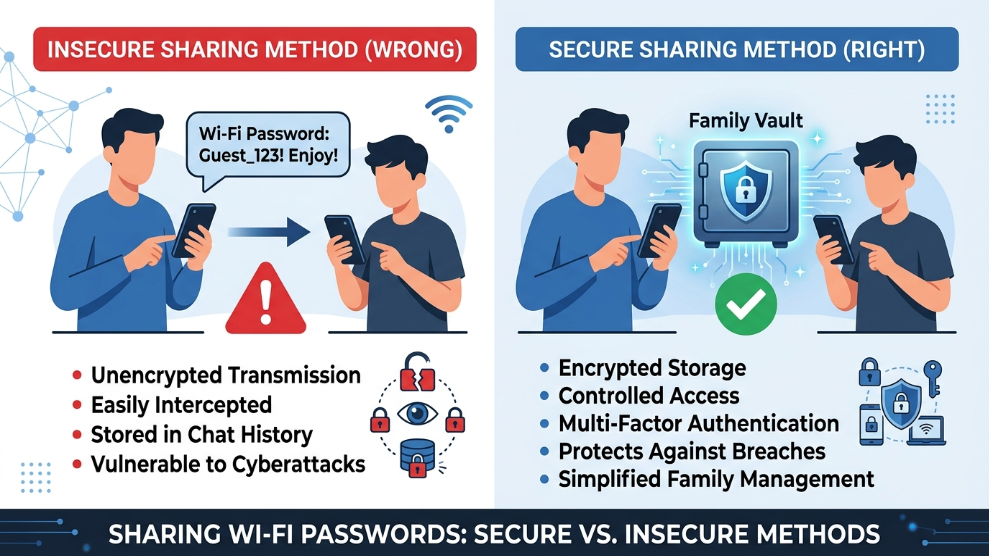
However, the way most families share these credentials is a cybersecurity nightmare. Shouting a password across the living room, texting it via iMessage, or writing it on a sticky note stuck to the fridge leaves your most sensitive information completely unencrypted and vulnerable. According to family safety guidelines from the Federal Trade Commission (FTC), poor credential management within households often leads to identity theft and compromised financial accounts.
If you want to keep your household’s digital life running smoothly without opening the door to hackers, you need a secure system for family password sharing. Here is how to do it correctly.
The Problem with “Digital Post-it Notes”
When a spouse asks for the Amazon Prime login and you send it via a text message, you are creating a permanent, unencrypted record of that password. If your spouse’s phone is ever lost, stolen, or compromised by malware, the hacker instantly gains access to your shopping account.
Similarly, many families use a shared Apple Note or a Google Doc titled “Household Passwords.” While convenient, these documents lack the sophisticated zero-knowledge encryption required to keep hackers out. If one family member uses a weak login for their iCloud or Google account, the entire family’s digital identity is compromised.
The Solution: A Centralized Family Vault
The only secure way to share access within a household is by migrating away from plain-text sharing and utilizing an encrypted environment.
A dedicated digital vault allows you to create separate “rooms” for your data. You can keep your personal work emails in a completely private folder, and create a “Shared Family” folder for streaming services, Wi-Fi passwords, and digital subscriptions. When you drop a password into the shared folder, everyone in the family gets instant, secure access to it.
For households, establishing clear administrative control is essential. Many tech-savvy parents rely on the family-oriented features of 1Password because it allows you to designate a “Family Organizer.” This organizer has the power to manage who sees what. More importantly, if a child or partner happens to forget your master password, the Family Organizer can securely restore their account without losing any data—a feature that prevents a lot of panic.
Managing Extended Family and Roommates
Not every household fits a traditional structure. You might need to share credentials with college roommates, extended in-laws, or a nanny.
Giving these individuals access to your primary family vault might grant them more visibility into your digital life than you intend. In these scenarios, you need a system that supports broader, independent sharing. Some robust security suites are specifically designed to handle larger, non-traditional groups. For instance, the premium sharing infrastructure within Dashlane offers a unique “Friends & Family” tier. This allows up to 10 separate individuals to maintain their own entirely private, independent dashboards while still giving you the ability to securely send them specific shared logins when necessary.
3 Rules for Household Digital Safety
To further lock down your family’s digital footprint, follow these three essential rules:
- Never Share Primary Emails: You can share the Netflix password, but you and your spouse should never share the same primary email inbox. If that email is breached, the hacker can reset the passwords for every single account tied to it.
- Teach Kids About Phishing: Ensure your teenagers understand that they should never type the shared household passwords into unverified websites or give them out to friends.
- Audit Your Shared Folders: Every few months, review what is in your shared family folder. If you canceled a streaming service or changed a Wi-Fi router, delete the old credentials to keep the vault clean and secure.
Final Thoughts
Protecting your family online does not have to be complicated. By eliminating text-message sharing and adopting a centralized, encrypted family vault, you can seamlessly grant your spouse and children the access they need while ensuring your household’s private data remains completely impenetrable to outside threats.

Munir is a digital security researcher and software reviewer
with over 5 years of experience testing privacy tools, parental
control applications, and cybersecurity software. He founded
Tech Monitor Pro to provide honest, hands-on reviews that help
families and professionals make smarter decisions about the
tools they use online. When he is not testing the latest VPN
or email verification platform, he writes practical guides on
digital safety and online privacy.