
As your company grows and you hire more employees, managing access to software becomes a massive headache. Your marketing team needs access to social media tools, your HR department needs access to payroll software, and your developers need access to server hosting.
When searching for a centralized way to secure these logins, business owners usually encounter two primary solutions: Password Managers and SSO Single Sign-On. Often, IT vendors present them as competing technologies, leaving founders wondering which one to choose.
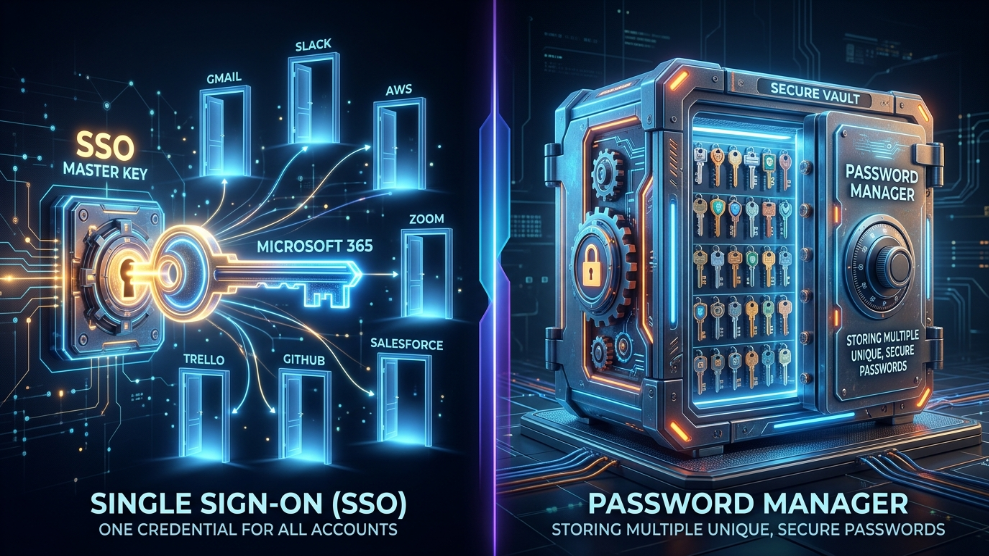
In reality, comparing them is like comparing a master key to a secure vault. To protect your corporate network effectively, you need to understand how they differ, their unique limitations, and why the most secure companies actually use them together.
What is Single Sign-On (SSO)?
Single Sign-On is an authentication method that allows an employee to log into multiple applications using just one set of credentials. Familiar enterprise SSO providers include Okta, Microsoft Entra (formerly Azure AD), and Google Workspace.
When an employee arrives at work, they log into their SSO portal once. From that dashboard, they can click into Slack, Salesforce, or Asana without ever typing another password. According to Microsoft Security guidelines, SSO heavily reduces “password fatigue” and significantly lowers the number of IT support tickets for forgotten passwords.
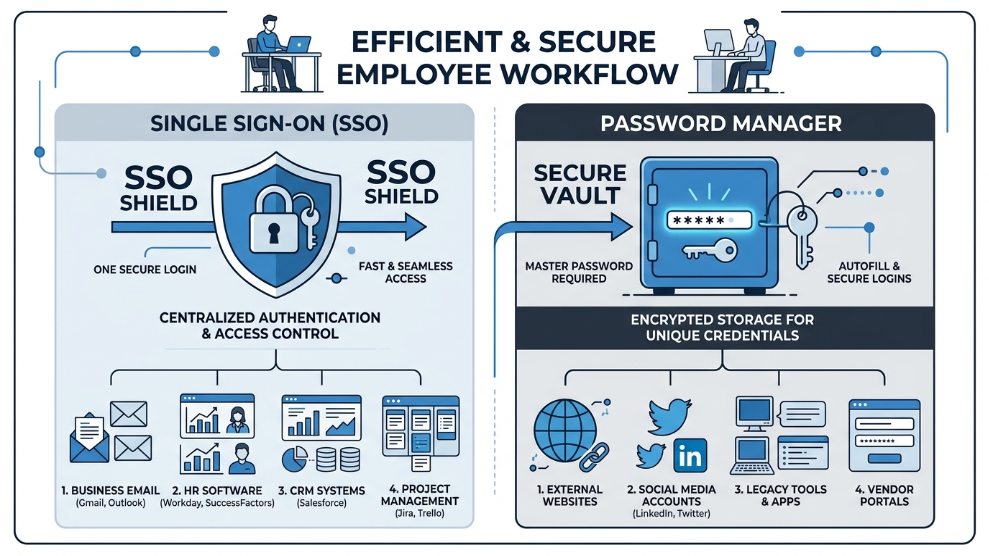
The SSO Limitation: SSO is spectacular, but it has a massive blind spot: it only works with applications that officially support SAML or OIDC integration. If your marketing team uses a niche SEO tool, a local vendor portal, or an independent social media account, SSO cannot log them in. They are forced to create traditional passwords for those sites, completely bypassing your centralized security.
What is a Password Manager?
A password manager is an encrypted digital vault that generates, stores, and auto-fills unique passwords for every single website and application your company uses, regardless of whether those sites support corporate integrations.
The Password Manager Advantage: Unlike SSO, a password manager covers 100% of the internet. It is the ultimate tool for handling legacy software, shared client accounts, and external vendor portals. Furthermore, modern vaults allow administrators to implement strict Role-Based Access Control (RBAC) without requiring complex coding. You can securely group marketing passwords into one folder and grant access only to the marketing team.
However, a standalone password manager still requires employees to manage their individual Master Passwords, which some massive enterprises find slightly harder to govern than a pure SSO environment.
The Verdict: Why You Need Both
So, which is better? The answer is neither. They are complementary technologies that solve different problems. SSO secures the front door to your major enterprise applications, while a password manager locks down all the external websites and shared tools that SSO cannot touch.
If you are a small to medium-sized business that cannot afford expensive SSO deployment, starting with a powerful digital vault is the smartest move. Tools like NordPass offer exceptional business tiers that provide cross-platform auto-filling and secure sharing, instantly covering the security gaps of your entire team at a fraction of the cost of an enterprise SSO setup.
For larger agencies that already use SSO (like Google Workspace or Okta), the ultimate security architecture involves integrating the two. Elite security suites like 1Password offer native SSO integrations. This means your employees can use their existing Okta or Google login to unlock their encrypted vault, completely eliminating the need for a separate Master Password while extending zero-knowledge protection to every corner of the internet.
Final Thoughts
Do not fall into the trap of thinking Single Sign-On solves all your credential problems. As long as the internet relies on traditional login pages, your employees will need a secure way to generate and store passwords. By combining the centralized control of SSO with the universal coverage of a password manager, you build an impenetrable, frictionless security environment for your entire workforce.

Munir is a digital security researcher and software reviewer
with over 5 years of experience testing privacy tools, parental
control applications, and cybersecurity software. He founded
Tech Monitor Pro to provide honest, hands-on reviews that help
families and professionals make smarter decisions about the
tools they use online. When he is not testing the latest VPN
or email verification platform, he writes practical guides on
digital safety and online privacy.