When a digital marketer, mobile gamer, or crypto farmer decides to automate their mobile tasks, they usually face a major technical crossroads. They know that buying 50 physical smartphones is a terrible idea, so they look for virtual alternatives.
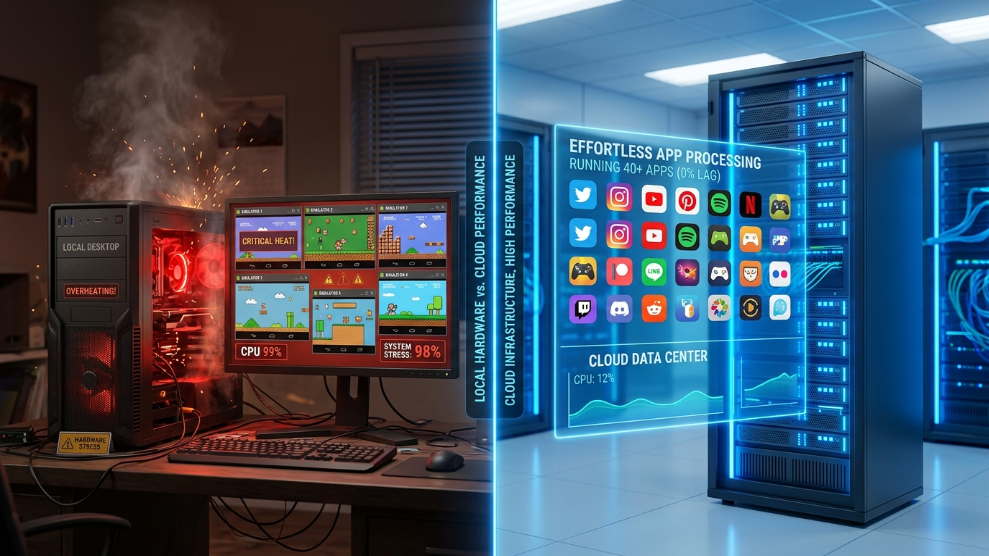
Inevitably, the first things they download are free desktop emulators like BlueStacks, NoxPlayer, or LDPlayer. For the first few days, everything seems fine. But as soon as they try to scale their operations—opening five or ten instances simultaneously—their computer sounds like a jet engine, the screens freeze, and their system crashes.
To truly scale mobile automation, the industry has shifted away from local emulators and toward cloud-based infrastructure. If you are struggling to manage multiple mobile accounts, here is the definitive technical comparison of Cloud Phones vs. Emulators, and which technology is actually better for your business.
The Old Standard: Desktop Emulators (BlueStacks / Nox)
Desktop emulators are software applications that you install directly onto your PC or Mac. They attempt to mimic the Android operating system using your local computer’s hardware.
To do this, they rely heavily on a CPU feature called Hardware Virtualization. According to processor experts at Intel, Virtualization Technology (VT-x) allows a single processor to act as if it were multiple individual computers.
The Pros:
- Cost: The biggest advantage of BlueStacks and Nox is that they are 100% free to download and use.
- High Frame Rates: Because the processing happens locally on your graphics card, emulators provide excellent frame rates for competitive, fast-paced 3D mobile games (like Call of Duty: Mobile).
The Cons:
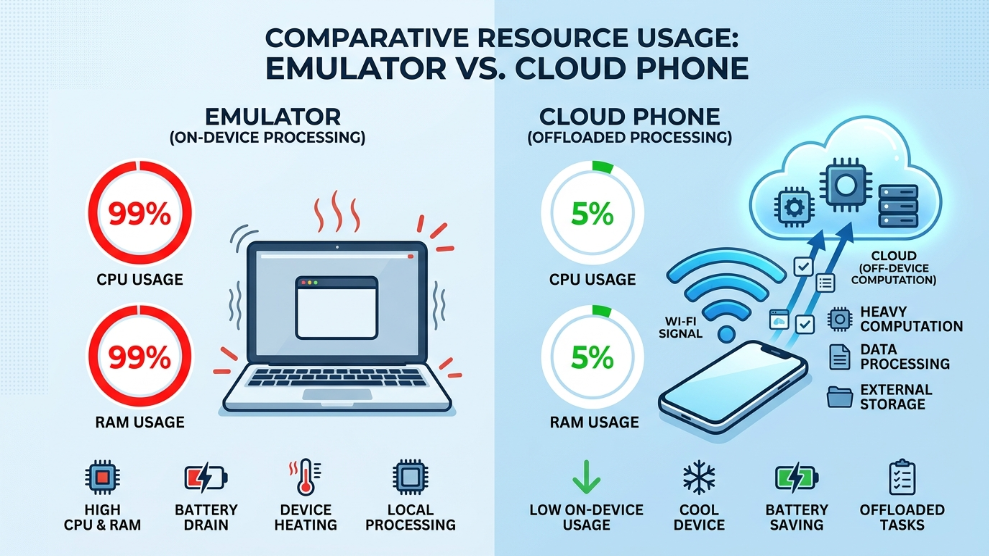
- Massive Resource Drain: Emulators are notorious resource hogs. Running just one instance of BlueStacks can consume 4GB of RAM and heavily tax your CPU.
- Scaling Limits: Unless you have a $5,000 custom-built gaming PC, you will struggle to run more than 5 to 7 emulators simultaneously before your system crashes.
- No AFK Capability: If you turn off your computer or it goes to sleep, your emulators shut down immediately. You cannot run tasks 24/7 without leaving your PC powered on constantly.
The Modern Solution: Cloud Android Phones
Cloud phones take a completely different architectural approach. Instead of forcing your local computer to do the heavy lifting, the Android OS is installed on a massive commercial server in a data center.
When you use a cloud phone, your laptop is merely receiving a live video feed of the remote screen and sending your mouse clicks back to the server.
The Pros:
- Zero Local Hardware Usage: You can run 50 cloud phones simultaneously on a cheap, 10-year-old laptop. Your local CPU and RAM are completely unaffected.
- True 24/7 Automation: Because the device lives on a server, it never sleeps. You can start a task, completely turn off your computer, and the cloud phone will continue running flawlessly.
- Native Android Environments: For app testers and marketers, platforms like VMOS Cloud offer rooted, native Android environments that bypass the algorithmic suspicion often placed on desktop emulators.
The Cons:
- Subscription Costs: Cloud infrastructure is not free. You must pay a monthly fee to rent server space for your virtual devices.
- Internet Dependency: If your local internet connection drops, you lose visual access to the device (though the app continues running securely on the server).
Which is Better for Your Needs?
The winner of this debate depends entirely on your end goal.
If you are a casual gamer who just wants to play one mobile game on a larger monitor using a keyboard and mouse, Desktop Emulators (BlueStacks/Nox) are the perfect, free solution.
However, if you are an affiliate marketer, a phone farmer, an app developer, or a multi-account manager, emulators are a dead end. Attempting to scale your business on local hardware will inevitably lead to system crashes and hardware bottlenecks. In professional environments, Cloud Phones are vastly superior. They offer the true 24/7 uptime, infinite scalability, and native mobile environments required to run massive automation empires securely.
Final Thoughts
Free software is rarely free when you factor in the massive hardware tax it places on your computer. While emulators revolutionized how we played mobile games a decade ago, cloud phones represent the future of mobile infrastructure. By moving your operations to the cloud, you protect your local hardware, ensure your bots run 24/7, and unlock the ability to scale without limits.

Munir is a digital security researcher and software reviewer
with over 5 years of experience testing privacy tools, parental
control applications, and cybersecurity software. He founded
Tech Monitor Pro to provide honest, hands-on reviews that help
families and professionals make smarter decisions about the
tools they use online. When he is not testing the latest VPN
or email verification platform, he writes practical guides on
digital safety and online privacy.