

In 2026, the cybersecurity market is flooded with password managers boasting flashy new features and complex enterprise integrations. However, amidst all the noise, one of the oldest and most respected names in the industry continues to hold its ground: RoboForm.
Originally launched in 1999 long before password managers were mainstream, RoboForm built its reputation not just as a secure vault, but as the absolute undisputed king of automated form-filling. While competitors like 1Password and Dashlane have evolved into comprehensive security suites, RoboForm has stayed true to its core mission: saving you time and money with extreme reliability.
But can a legacy software tool still compete with the modern giants of 2026? At TechMonitorPro, we put RoboForm’s latest architecture to the test. In our detailed RoboForm review, we explore its encryption standards, pricing, and legendary form-filling capabilities to see if it remains a top-tier choice for modern users.
RoboForm Pricing Overview
RoboForm is widely considered one of the most budget-friendly premium password managers on the market. They offer excellent value, especially for users who want premium features without the premium price tag.
| Plan Type | Monthly Cost (Billed Annually) | Key Features Included |
| Free | $0.00 | 1 Device, unlimited passwords, unmatched form filling. |
| Everywhere (Premium) | $1.99/mo | Unlimited devices, cloud backup, secure sharing, 2FA. |
| Family | $3.98/mo | 5 Users, private vaults for each user, centralized admin. |
| Business | $3.35/user/mo | Advanced reporting, Active Directory integration, policies. |
Click here to check current RoboForm discounts and offers
Key Specifications
| Feature | Specification Details |
| Encryption Type | AES-256 bit encryption with PBKDF2 |
| Architecture | Zero-Knowledge Architecture |
| Form Filling | Advanced (Best-in-class accuracy) |
| Multi-Factor Auth (MFA) | Yes (TOTP, Biometrics, Security Keys) |
| Secure Sharing | Yes (Individual items and folders) |
| Platforms Supported | Windows, macOS, Linux, iOS, Android, All Browsers |
Detailed Technical Features
The Undisputed King of Form Filling
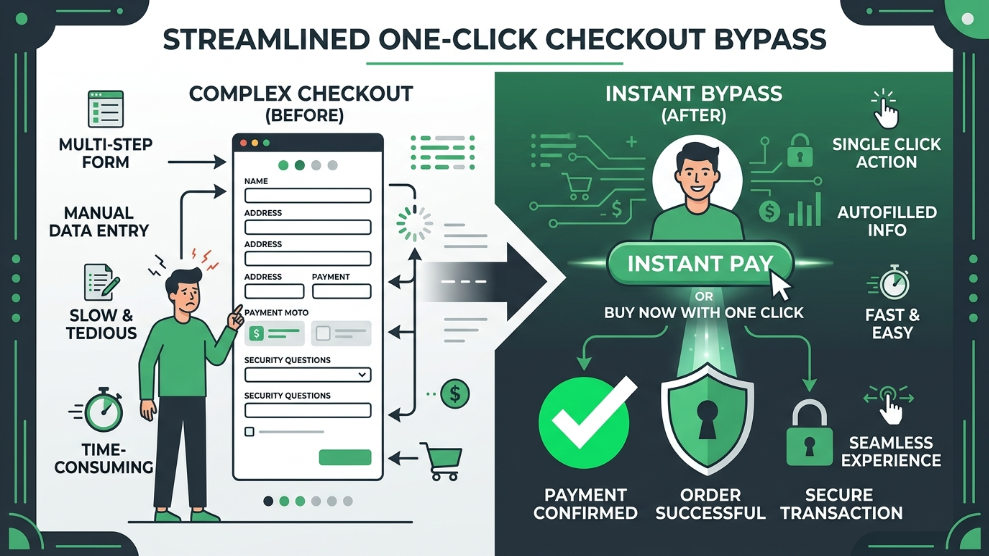
Let’s talk about RoboForm’s biggest strength. While almost every password manager can autofill a basic username and password, RoboForm excels at complex web forms. Whether you are filling out a massive multi-page job application, a complicated checkout process with different shipping and billing addresses, or detailed healthcare forms, RoboForm handles it with pinpoint accuracy. You can create multiple “Identities” (e.g., Personal, Business, Freelance) and populate lengthy online forms with a single click.
Zero-Knowledge Security & AES-256 Encryption
Despite its age, RoboForm has continuously updated its security protocols to meet modern 2026 standards. It utilizes industry-standard AES-256 bit encryption coupled with PBKDF2 to protect against brute-force attacks. True to the zero-knowledge architecture, your Master Password is never transmitted to RoboForm’s servers. You are the only person who holds the key to decrypt your data.
Emergency Access & Secure Sharing
RoboForm Premium includes a highly practical “Emergency Access” feature. You can designate a trusted contact (like a spouse or business partner) who can request access to your vault. If you do not deny their request within a predetermined timeframe, they are granted access. Additionally, the software allows you to securely share specific folders or individual passwords with other users without exposing the actual password characters.
Who is RoboForm Best For?
RoboForm is the ideal choice for budget-conscious users who want top-tier device syncing and security without paying $4 to $6 a month. At just $1.99/month for the premium tier, it is incredibly hard to beat.
Furthermore, it is a massive productivity booster for online shoppers, freelancers, and administrative professionals. If your daily workflow involves repeatedly filling out long, tedious online forms, RoboForm will save you hours of manual data entry every single week.
However, if you are looking for integrated dark web monitoring, built-in VPNs, or highly advanced enterprise role-based access controls, you might find more value in NordPass or Keeper Security.
Pros of RoboForm
- ✓ The most accurate and comprehensive form-filling engine on the market.
- ✓ Highly affordable Premium and Family plans compared to competitors.
- ✓ Excellent offline access capabilities.
- ✓ Cross-platform syncing is incredibly fast and reliable.
- ✓ Offers a robust, unlimited Free plan (though restricted to one device).
- ✓ Emergency Access feature ensures your data is never permanently lost.
Cons of RoboForm
- ✗ The interface, while functional, feels slightly less modern than newer rivals.
- ✗ Does not include built-in dark web monitoring (BreachWatch).
- ✗ The Free version does not support cloud syncing across multiple devices.
Final Verdict
RoboForm proves that you do not need to reinvent the wheel to remain relevant in 2026. By focusing on doing the basics exceptionally well—flawless form-filling, rapid device syncing, and robust AES-256 encryption—it delivers outstanding value.
If you want a no-nonsense, highly affordable password manager that will instantly eliminate the frustration of manual data entry during online checkouts and applications, RoboForm remains a top-tier recommendation.
Start Automating Your Digital Life with RoboForm

Munir is a digital security researcher and software reviewer
with over 5 years of experience testing privacy tools, parental
control applications, and cybersecurity software. He founded
Tech Monitor Pro to provide honest, hands-on reviews that help
families and professionals make smarter decisions about the
tools they use online. When he is not testing the latest VPN
or email verification platform, he writes practical guides on
digital safety and online privacy.