
Cold email outreach remains one of the most powerful and cost-effective B2B marketing channels in 2026. You spend hours meticulously researching your prospects, writing highly personalized subject lines, and crafting the perfect pitch. You hit send, eagerly waiting for the replies to roll in.
But instead, you get nothing. Absolute silence.
When you dig into your analytics, the painful reality sets in: your open rates are hovering near zero. If you find yourself constantly asking, “Why your cold emails are going to spam?”, you are not alone. Internet Service Providers (ISPs) like Google and Outlook have implemented their strictest filtering algorithms yet.
If your outreach is landing in the junk folder, it is usually due to a few critical, yet fixable, errors in your setup or strategy. Here are the top reasons your cold emails are failing and exactly how to fix them today.
1. You Are Sending to Unverified, Toxic Lists
The absolute fastest way to trigger spam filters in 2026 is by sending emails to invalid addresses. When you scrape B2B leads or buy lists, a massive percentage of those emails are outdated, misspelled, or intentionally set up as traps. As we explained in our guide on the dangers of spam traps, hitting just one honeypot can permanently blacklist your domain.
If your bounce rate spikes, ISPs immediately categorize you as a spammer.
The Fix: You must ruthlessly clean your list before launching any cold campaign. We highly recommend using a dedicated verification tool. For the best value and accuracy, check out our DeBounce review to see how you can scrub toxic emails from your list for pennies. If you are an enterprise agency conducting massive cold outreach, you may need the advanced AI toxicity scoring detailed in our ZeroBounce review.
2. Your Domain Lacks Proper Authentication
In the modern digital era, you cannot just buy a domain and start sending thousands of emails. ISPs need cryptographic proof that you are who you say you are. If your domain is not properly authenticated, receiving servers will view your messages as forged or spoofed, sending them straight to the spam folder.
The Fix: You must configure three specific DNS records for your sending domain:
- SPF (Sender Policy Framework): Tells ISPs which IP addresses are authorized to send emails on your behalf.
- DKIM (DomainKeys Identified Mail): Adds a digital signature to your emails, proving they were not altered in transit.
- DMARC (Domain-based Message Authentication): Instructs the receiving server on what to do if an email fails SPF or DKIM checks.
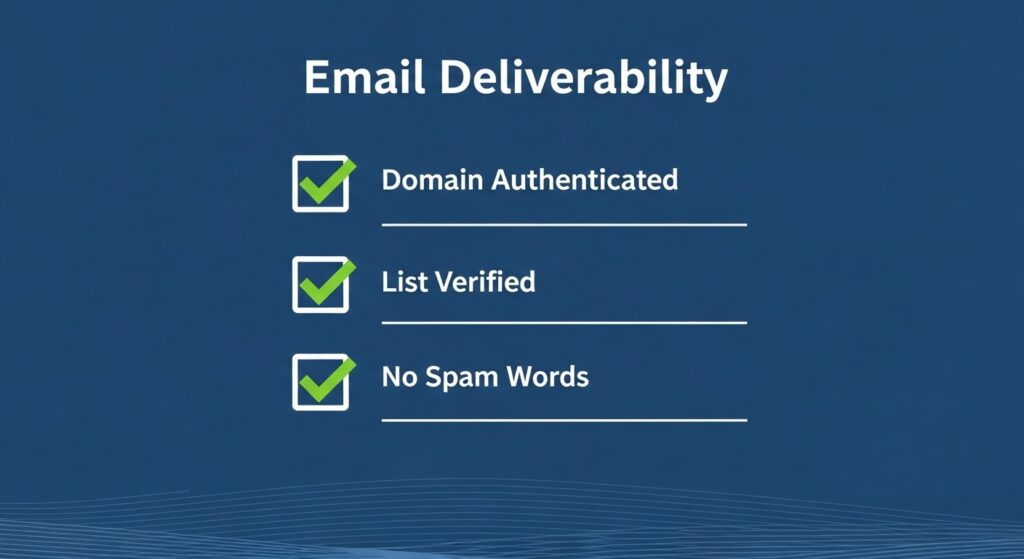
3. Using “Spammy” Keywords and Formatting
AI spam filters scan the actual content of your message. If your cold email reads like a late-night infomercial, it will be flagged instantly.
The Fix: Avoid the following common triggers:
- Spam Trigger Words: Words like “Free,” “Guarantee,” “No hidden costs,” “Act Now,” or “Earn $.”
- Excessive Punctuation: Using too many exclamation marks (!!!) or typing in ALL CAPS.
- Heavy HTML & Images: Cold emails should look like they were sent from a colleague. Use plain text formatting. Too many images or complex HTML layouts are massive red flags for a cold outreach message.
4. You Didn’t Warm Up Your Email Account
If you purchase a brand-new domain on Monday and try to send 500 cold emails on Tuesday, 100% of them will go to spam. New domains have a neutral (or non-existent) sender reputation. ISPs heavily throttle new senders to prevent spam attacks.
The Fix: You need to undergo a “Domain Warm-Up” process. Start by sending just 10 to 20 emails a day to trusted contacts who you know will open and reply to them. Gradually increase the volume by 10-15% each day over a period of 3 to 4 weeks. This slowly builds a positive reputation with ISPs, proving that you are a legitimate human sender whose emails are actively engaged with.
Conclusion: Protecting Your Outreach ROI
Understanding exactly why your cold emails are going to spam is the first step toward dominating your B2B outreach. By properly authenticating your domain, avoiding aggressive sales language, warming up your inbox, and—most importantly—utilizing list hygiene tools like DeBounce to lower your email bounce rate, you will bypass the junk folder entirely.
Stop wasting your perfectly crafted pitches on the spam folder. Clean your list, secure your infrastructure, and watch your open rates skyrocket.

Munir is a digital security researcher and software reviewer
with over 5 years of experience testing privacy tools, parental
control applications, and cybersecurity software. He founded
Tech Monitor Pro to provide honest, hands-on reviews that help
families and professionals make smarter decisions about the
tools they use online. When he is not testing the latest VPN
or email verification platform, he writes practical guides on
digital safety and online privacy.