
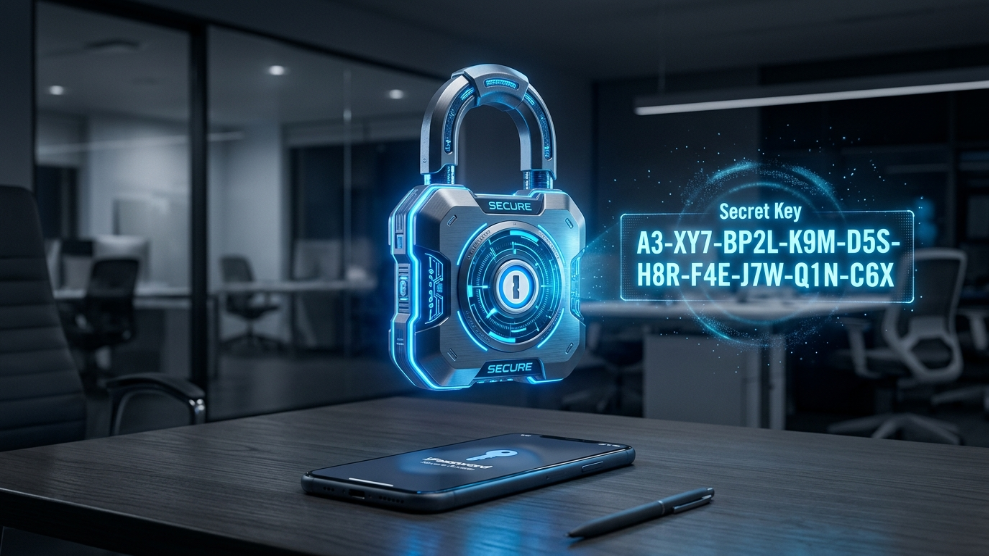
In 2026, the shift towards remote work and decentralized teams has made digital security the number one priority for businesses and families alike. While standard password managers do a decent job of securely storing your login credentials, very few are designed to handle complex sharing, advanced threat monitoring, and enterprise-level access control without sacrificing user experience. Enter 1Password.
For years, 1Password has been the darling of the cybersecurity community, trusted by major tech corporations like IBM and Slack. But is it the right choice for an individual user, a busy family, or a growing B2B agency? At TechMonitorPro, we have rigorously tested its 2026 architecture to find out.
If you recently read our NordPass review, you know we highly value zero-knowledge architecture. 1Password takes this a step further with its legendary “Secret Key” system, creating a dual-layer defense mechanism that is virtually impenetrable. Let’s dive into the pricing, technical specifications, and real-world performance of 1Password.
1Password Pricing Overview
Unlike many competitors, 1Password does not offer a permanent “Free” tier (aside from a generous 14-day free trial). They believe premium security requires premium infrastructure. However, their pricing is incredibly competitive.
| Plan Type | Monthly Cost (Billed Annually) | Key Features Included |
| Individual | $2.99/mo | Unlimited passwords, 1GB document storage, Watchtower alerts. |
| Families | $4.99/mo | 5 Users, shared vaults, account recovery for family members. |
| Teams Starter | $19.95/mo | Up to 10 users, admin controls, Duo integration. |
| Business | $7.99/user/mo | VIP support, custom roles, free Family accounts for all employees. |
Click here to start your 14-Day Free Trial of 1Password
Key Specifications
| Feature | Specification Details |
| Encryption Type | AES-256 bit GCM encryption |
| Authentication | Master Password + 34-character Secret Key |
| Passkey Support | Fully Supported (Create, Save, and Sign-in) |
| Threat Monitoring | “Watchtower” (Dark Web & Vulnerability Scanning) |
| Travel Security | “Travel Mode” (Removes vaults temporarily at borders) |
| Platforms Supported | Windows, macOS, Linux, iOS, Android, ChromeOS, CLI |
Detailed Technical Features
The Unbeatable “Secret Key” System
The biggest differentiator for 1Password is its dual-layer encryption. When you create an account, the system generates a mathematically unguessable 34-character “Secret Key” that is stored locally on your device. To access your data from a new device, a hacker would need both your Master Password and this physical Secret Key. Even if 1Password’s servers were entirely compromised, your data is mathematically impossible to decrypt.
Watchtower: Your Personal Security Auditor
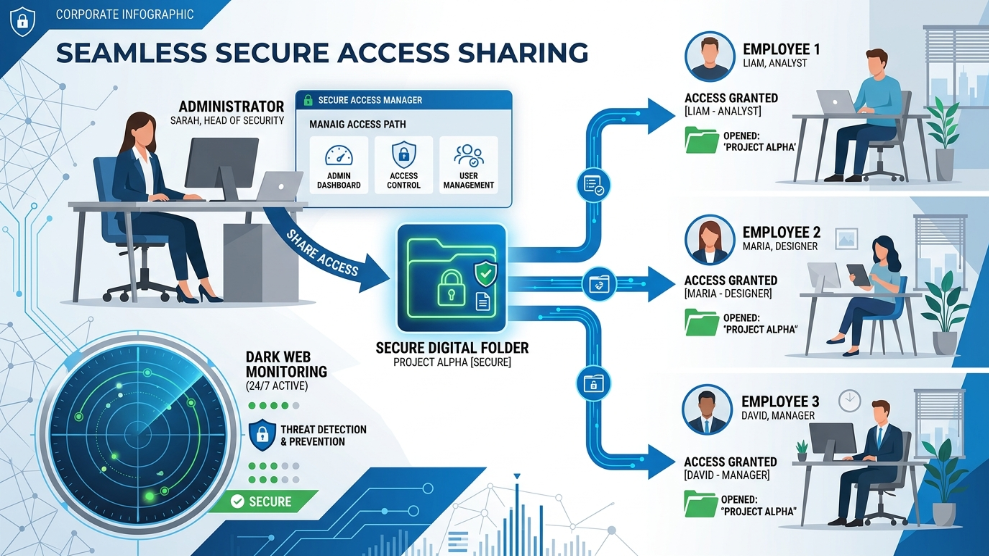
1Password doesn’t just store passwords; it actively monitors their health. The Watchtower dashboard cross-references your saved logins with known database breaches on the dark web. It immediately flags weak, reused, or compromised passwords and alerts you to websites that support Two-Factor Authentication (2FA) but where you haven’t enabled it yet.
Travel Mode
In an era of increasing digital border searches, 1Password’s unique “Travel Mode” is a game-changer. With a single click from your web dashboard, you can temporarily remove highly sensitive vaults from your mobile devices before crossing an international border. Once you are safely at your destination, you can instantly restore them.
Who is 1Password Best For?
1Password shines brightest when it comes to collaboration and sharing. If you run a small business or an agency managing credentials for remote freelancers, 1Password Business is flawless. You can create multiple vaults (e.g., “Marketing,” “Development,” “Finance”) and grant specific role-based access. If an employee leaves, you can revoke their access instantly, solving a massive security headache.
For families, the $4.99/month plan is arguably the best value on the market. It allows parents to securely share Wi-Fi passwords, streaming logins, or bank details while keeping personal emails entirely private. Plus, if a family member forgets their Master Password, the “Family Organizer” can securely recover their account—a rare and crucial feature.
However, if you are a single user looking for a completely free password manager for basic needs, you might want to explore other options, as 1Password’s premium-only model might feel like overkill.
Pros of 1Password
- ✓ The 34-character Secret Key provides unmatched, ironclad security.
- ✓ Watchtower actively scans for data breaches and vulnerable passwords.
- ✓ Seamless, intuitive UI across all desktop and mobile apps.
- ✓ Incredible value for Families and Teams with shared vaults.
- ✓ Unique Travel Mode protects data during international transit.
- ✓ Flawless integration with Passkeys and hardware security keys.
Cons of 1Password
- ✗ No free tier available (only a 14-day trial).
- ✗ The Secret Key adds a slight learning curve during the first-time setup.
- ✗ Autofill on certain obscure Android apps can occasionally be finicky.
Final Verdict
1Password remains the gold standard for password management in 2026. While it lacks a permanent free plan, the peace of mind provided by its dual-layer Secret Key architecture is worth every penny. It effortlessly balances military-grade security with an exceptionally user-friendly interface.
Whether you need to secure your company’s infrastructure, share streaming logins with your family, or simply protect your personal cryptocurrency recovery phrases, 1Password is a flawless, highly aggressive defense system against modern cyber threats.
Secure Your Digital Life with 1Password Today

Munir is a digital security researcher and software reviewer
with over 5 years of experience testing privacy tools, parental
control applications, and cybersecurity software. He founded
Tech Monitor Pro to provide honest, hands-on reviews that help
families and professionals make smarter decisions about the
tools they use online. When he is not testing the latest VPN
or email verification platform, he writes practical guides on
digital safety and online privacy.