
When it comes to digital security in 2026, flashy interfaces and bundled gimmicks mean nothing if the core architecture isn’t rock solid. While some password managers focus on bundling VPNs (like Dashlane) or prioritizing sleek Apple-centric designs, Keeper Security takes a decidedly different approach: pure, unadulterated, military-grade defense.
Trusted by millions of individual users and massive government organizations alike, Keeper positions itself as the most stringent vault on the market. But does this hardcore focus on security make the application too complex for the average user?
At TechMonitorPro, we demand software that balances high-level encryption with everyday usability. In our in-depth 2026 Keeper Security review, we strip down its zero-knowledge architecture, test its unique encrypted messaging app (KeeperChat), and analyze its pricing to determine if it is the right digital fortress for your passwords.
Keeper Pricing Overview
Keeper offers a variety of plans that cater to budget-conscious individuals as well as large-scale enterprises. They frequently offer aggressive discounts for new users.
| Plan Type | Monthly Cost (Billed Annually) | Key Features Included |
| Free | $0.00 | 1 Mobile Device, unlimited passwords, basic auto-fill. |
| Unlimited | $2.91/mo | Unlimited devices, secure sharing, emergency access. |
| Family | $6.25/mo | 5 Users, 10GB secure file storage, individual vaults. |
| Business | Custom Pricing | Advanced team management, audit logs, SSO integration. |
Click here to check current Keeper Security discounts and offers
Key Specifications
| Feature | Specification Details |
| Encryption Type | AES-256 bit & PBKDF2 |
| Architecture | Strict Zero-Knowledge Security |
| Encrypted Messaging | Yes (Keeper Chat included) |
| Dark Web Monitoring | Yes (Breach Watch add-on available) |
| Passkey Support | Fully Supported |
| Platforms Supported | Windows, macOS, Linux, iOS, Android, All Browsers |
Detailed Technical Features
Uncompromising Zero-Knowledge Architecture
Like NordPass and 1Password, Keeper operates on a strict zero-knowledge framework. However, Keeper is often praised for having some of the longest-standing security certifications in the industry (including ISO 27001 and SOC 2 Type 2). Your data is encrypted and decrypted locally on your device. Keeper employees, servers, and even government entities cannot access your Master Password or the contents of your vault.
KeeperChat: A Unique Security Advantage
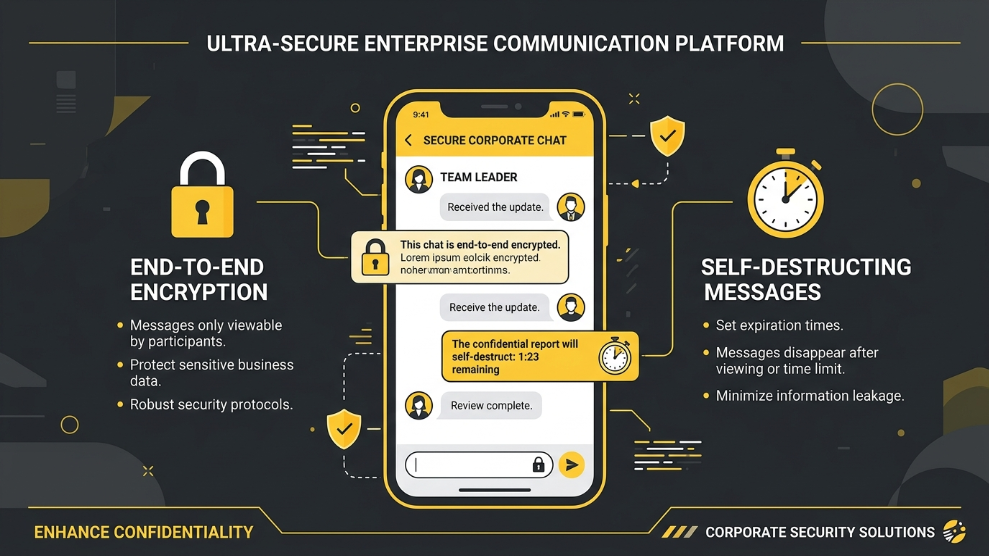
While most password managers focus solely on storing text and files, Keeper addresses another major vulnerability: communication. Included with premium plans is KeeperChat, a highly secure, encrypted messaging application. It functions like a hyper-secure alternative to WhatsApp or Telegram, allowing you to send self-destructing messages, retract sent messages, and securely share files without leaving a permanent digital footprint.
BreachWatch & Security Audits
Keeper’s dark web monitoring tool is branded as BreachWatch. It constantly scans the dark web for stolen login credentials matching those in your vault. Unlike basic scanners, BreachWatch integrates directly into your dashboard, turning your compromised passwords red and prompting you to change them immediately. Coupled with its internal Security Audit tool, Keeper ensures you never use weak or reused passwords.
Who is Keeper Security Best For?
Keeper is the ultimate choice for users who prioritize data security above all else. If you are handling highly sensitive information—whether you are a lawyer, a financial advisor, or a privacy-conscious individual—Keeper’s no-nonsense, military-grade architecture provides unmatched peace of mind.
The inclusion of KeeperChat makes it exceptionally valuable for business partners or families who need a secure channel to discuss sensitive information (like banking details or medical records) without relying on traditional, easily intercepted text messages.
However, users looking for the absolute most modern, highly stylized user interface might find Keeper’s dashboard to feel a bit utilitarian compared to rivals like Dashlane. It favors function and extreme security over flashy design.
Pros of Keeper Security
- ✓ Long-standing reputation with military-grade, certified encryption.
- ✓ Includes KeeperChat for secure, self-destructing messaging.
- ✓ Highly granular sharing options (allow others to view, but not edit).
- ✓ BreachWatch provides excellent, real-time dark web monitoring.
- ✓ Affordable “Unlimited” tier for individual users across multiple devices.
- ✓ Emergency Access feature allows trusted contacts to access your vault.
Cons of Keeper Security
- ✗ The user interface feels slightly dated and less “sleek” than competitors.
- ✗ The Free version does not allow syncing across multiple devices.
- ✗ Some advanced features (like BreachWatch) require an extra add-on fee depending on the plan.
Final Verdict
Keeper Security does not try to be a lifestyle app; it is a digital fortress. It offers some of the most rigorous, battle-tested encryption protocols available in 2026. While its interface might not win design awards, its functionality is flawless.
If you want a password manager that focuses 100% on keeping unauthorized users out of your data—and throws in a highly secure messaging app as a bonus—Keeper Security is an outstanding, reliable choice.
Lock Down Your Data With Keeper Security Today

Munir is a digital security researcher and software reviewer
with over 5 years of experience testing privacy tools, parental
control applications, and cybersecurity software. He founded
Tech Monitor Pro to provide honest, hands-on reviews that help
families and professionals make smarter decisions about the
tools they use online. When he is not testing the latest VPN
or email verification platform, he writes practical guides on
digital safety and online privacy.