
Think about the front door of your house. When you leave for work, you lock it with a key. For decades, that is exactly how we treated our digital lives. We created a password—our digital key—and assumed our emails, bank accounts, and private photos were safe.
But what happens if someone secretly makes a copy of your key? They can walk right through your front door without making a sound.
In 2026, relying solely on a password is the equivalent of hiding your house key under the welcome mat. Hackers no longer guess passwords; they buy massive lists of stolen passwords on the dark web. They use automated software to test these passwords across thousands of websites in seconds. If you use the same password for your Netflix account as you do for your banking app, you are walking on very thin ice.
Enter the ultimate digital deadbolt: Two-Factor Authentication (2FA).
If you have ever received a text message with a 6-digit code when trying to log into an account from a new device, you have already used 2FA. But the world of 2FA has evolved significantly. Text messages are no longer enough to stop modern cyber criminals.
In this comprehensive, easy-to-understand guide, we are going to break down exactly what Two-Factor Authentication is, how it acts as an invisible shield for your digital life, and why turning it on is the single most important thing you must do today to protect yourself online.
The Fatal Flaw of the Traditional Password
To understand why 2FA is so critical, we first need to understand why passwords are failing us.
Humans are notoriously bad at creating passwords. We use our pet’s names, our birthdays, or the classic “Password123.” Even if you create a complex password like “Tr@ctor$89!”, you probably reuse it across multiple platforms.
Every year, major corporations suffer data breaches. Millions of usernames and passwords are leaked onto the internet. Cyber criminals use a technique called “Credential Stuffing.” They take the password leaked from a minor website breach and automatically plug it into Gmail, Facebook, and banking portals, hoping you reused the same password. And sadly, this works most of the time.
A password is a single point of failure. If someone gets it, the game is over. You need a second layer of defense.
What Exactly is Two-Factor Authentication (2FA)?
Two-Factor Authentication (sometimes called Multiple-Factor Authentication or MFA) is a security system that requires two distinct forms of identification to access an account.
Instead of just asking for a password, the system asks you to prove your identity a second time, using a completely different method.
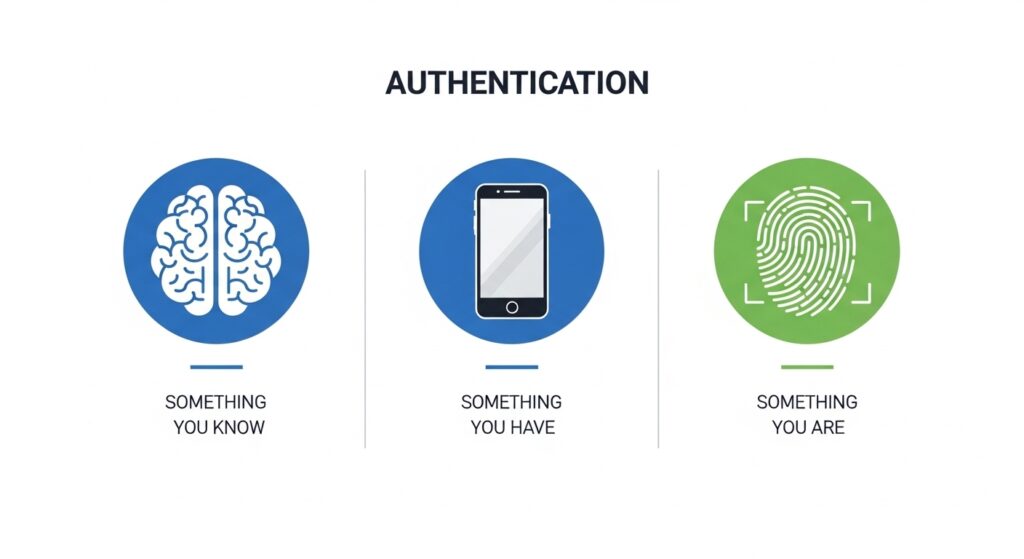
Security experts categorize authentication into three distinct “factors”:
- Something you know: This is your password or a PIN code. It is information stored in your brain.
- Something you have: This is a physical object you possess, like your smartphone, a security token, or a smart card.
- Something you are: This relies on biometrics, such as your fingerprint, facial recognition, or an iris scan.
For 2FA to be effective, it must combine two different categories.
For example, logging into an ATM requires a physical bank card (Something you have) and a PIN code (Something you know). If a thief steals your wallet, they have your card, but they do not know your PIN. If a scammer learns your PIN, they still cannot withdraw money because they do not have your physical card. That is the magic of Two-Factor Authentication.
When you apply this to the internet, it means that even if a hacker sitting in another country steals your password, they cannot log into your account because they do not have your physical smartphone to generate the second code.
The Evolution of 2FA: Not All Methods Are Created Equal
While turning on any form of 2FA is better than nothing, the technology has evolved. Hackers have found clever ways to bypass older methods. Let us rank the different types of 2FA from the weakest to the strongest.
1. SMS Text Message Codes (Good, but Vulnerable)
This is the most common form of 2FA. You enter your password, and the website sends a 6-digit code to your phone via SMS.
- The Problem: In 2026, SMS is considered the weakest link in 2FA. Hackers execute “SIM Swapping” attacks. They call your mobile carrier, pretend to be you, and convince the customer service agent to transfer your phone number to a new SIM card they control. Once they control your number, all your 2FA text messages go directly to the hacker.
2. Email Verification (Better, but Risky)
Instead of a text, the website emails you a code.
- The Problem: If your email account is not protected by 2FA, a hacker can easily access the code. If your email falls, every other account tied to it falls like dominoes.
3. Authenticator Apps (Highly Recommended)
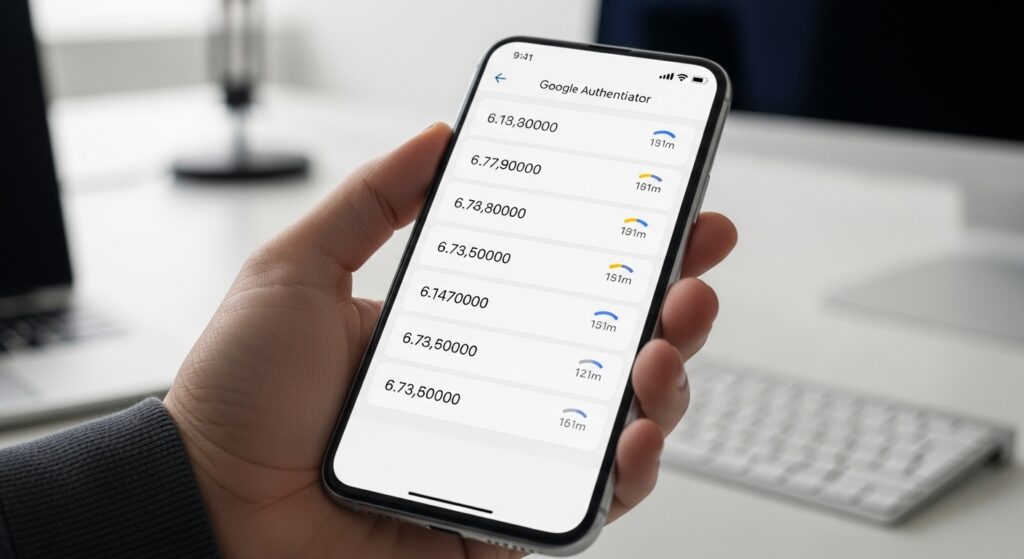
This is the sweet spot for maximum security and ease of use. You download an app like Google Authenticator, Microsoft Authenticator, or Authy. These apps generate a new, random 6-digit code every 30 seconds.
- Why it is great: The codes are generated locally on your phone. They do not rely on a cellular connection or text messages, which makes them immune to SIM swapping. To access the code, the hacker would need to physically steal your unlocked phone.
4. Hardware Security Keys (The Fort Knox of Security)
A hardware key is a small USB device (like a Yubi Key) that you plug into your computer or tap against your phone using NFC.
- Why it is the best: You cannot be tricked into giving away a code, because there is no code to type. You literally have to push a button on the physical key to prove you are there. This makes you 100% immune to phishing attacks. This method is used by high-level executives, journalists, and anyone dealing with highly sensitive data.
Real-World Threat: How 2FA Stops Phishing Dead in Its Tracks
Phishing is a deceptive tactic where a cyber criminal sends you a fake email that looks exactly like it came from your bank or a company like Amazon. The email claims there is an issue with your account and provides a link to log in.
When you click the link, it takes you to a fake website that mirrors the real one. You type in your username and password, handing them directly to the hacker.
If you do not have 2FA enabled, the hacker immediately takes your credentials, logs into the real website, and drains your account.
However, if you have an Authenticator App set up, the hacker’s plan fails. They try to log into the real website with your stolen password, but the website stops them and asks for the 6-digit code from your phone. Because the hacker does not have your physical device, they hit a brick wall. Your account remains safe, and you receive an alert that someone tried to access your account, prompting you to change your compromised password immediately.
To learn more about how tech giants are battling phishing, you can read Google’s official stance on account security.
Step-by-Step: How to Secure Your Most Important Accounts Today
Do not wait until it is too late. Grab your smartphone right now and follow these steps to secure the accounts that hold your most sensitive data. We highly recommend downloading a free authenticator app (like Google Authenticator or Authy) from your app store before beginning.
Securing Your Google / Gmail Account
Your email is the master key to your digital life. If someone accesses your email, they can reset the passwords for your banking, social media, and shopping accounts.
- Go to your Google Account management page.
- Click on the Security tab on the left menu.
- Under the “How you sign in to Google” section, click on 2-Step Verification.
- Follow the on-screen prompts. Choose “Authenticator App” as your preferred method and scan the QR code provided.
Securing Your Apple ID
If you use an iPhone, your Apple ID contains your photos, your iMessages, and your saved credit cards.
- Open the Settings app on your iPhone.
- Tap your name at the very top.
- Tap Sign-In & Security.
- Tap Two-Factor Authentication and follow the prompts to turn it on. Apple automatically uses your trusted Apple devices to deliver these codes securely. (You can read more on Apple’s official security guide).
Securing Your Financial and Social Accounts
You should apply this same process to Facebook, Instagram, X (Twitter), and your online banking portals. Almost every major platform has a “Security” or “Login” section in their settings menu where you can enable 2FA using an authenticator app.
The Ultimate Fear: What If I Lose My Phone?
This is the most common reason people hesitate to turn on 2FA. “If my phone is the key, what happens if I drop it in a lake or it gets stolen? Will I be locked out of my life forever?”
Tech companies anticipated this problem and created fail safes called Backup Codes.
When you set up 2FA using an authenticator app, the website (like Google or Facebook) will generate a list of 10 static backup codes. These codes are like spare keys. Each code can be used exactly once to bypass the authenticator app and log into your account.
The Golden Rule of Backup Codes: When the website shows you these codes during setup, do not save them as a screenshot on your phone. If you lose your phone, you lose the screenshot. Instead, print them out and put them in a physical safe, or write them down in a notebook stored in a secure drawer. If disaster strikes, you simply grab your notebook, type in one backup code, access your account, and disable the old 2FA until you get a new phone.
Additionally, using an app like Authy allows you to create a secure, encrypted cloud backup of your authenticator tokens, making it incredibly easy to transfer your codes to a new device if your old one breaks.
Conclusion: Make Hackers Work Harder
Cybersecurity is not about being perfectly unhackable; nothing is. It is about making yourself a hard target. Cyber criminals are opportunistic. They are looking for easy targets with weak, reused passwords and no extra layers of security.
By taking 15 minutes today to enable Two-Factor Authentication on your email, banking, and social media accounts, you are essentially pulling your digital life out of the public square and placing it inside a bank vault.
Yes, pulling out your phone to type a 6-digit code takes an extra three seconds out of your day. But those three seconds are the difference between a minor inconvenience and the devastating nightmare of identity theft.
Lock your digital doors. Turn on 2FA today.